Collection Browsing (Issues)
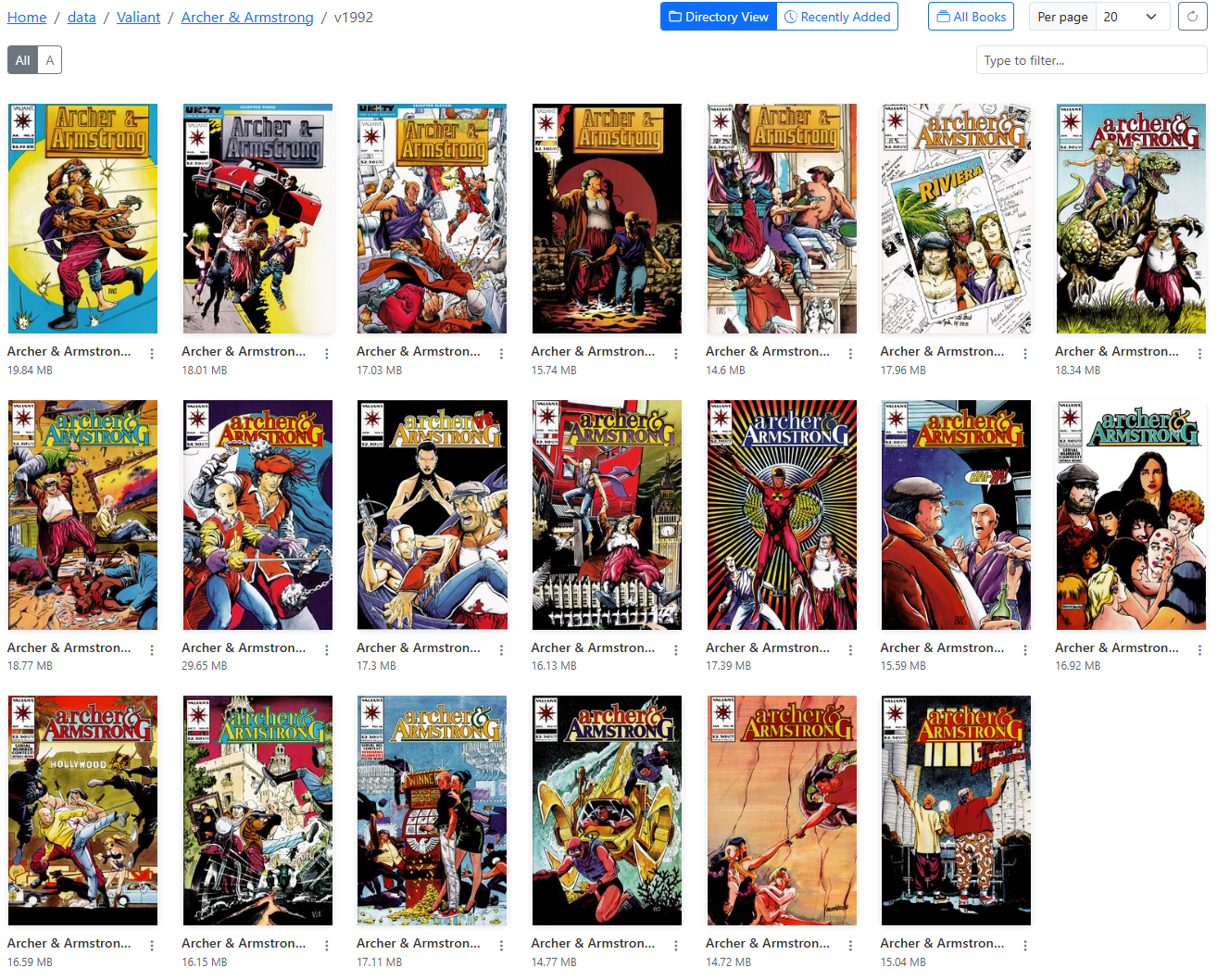
Example Issues Page
When you navigate to a folder (series) with only files (issues), you will see a list of files (issues) in that folder.
To ensure you can quickly determine the issue number, the issue number will be displayed in the top right corner of the cover.
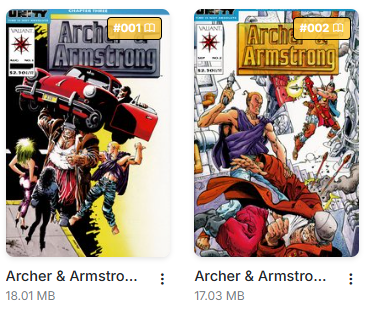
Issue Number
Issue Options
For issues, there are 6 options in the dropdown menu that can be accessed by clicking the menu.
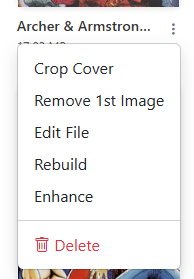
Example Issue Dropdown Menu
- Crop Cover: This will crop the first image of the CBZ, saving the right-side as the new cover and the full image as the 2nd image. This is the same process as Crop Cover.
- Remove First Image: This will remove the first image from the issue. This is same feature as Remove First Image. I recommend using this option after using "Edit File" as to ensure the incorrect image is truly the first image in the file.
- Edit File: This unpacks the CBZ and allows you to edit the files. See a full list of features in the Edit File section.
- Rebuild: This will quickly rebuild a incorrectly built CBZ file and/or convert a CBR to a CBZ file. This is the same feature as Rebuild.
- Enhance: This will enhance the image quality of all images in the issue. This is the same feature as Enhance.
- Delete: This will delete the issue. This is the same feature as Delete.