Source Wall
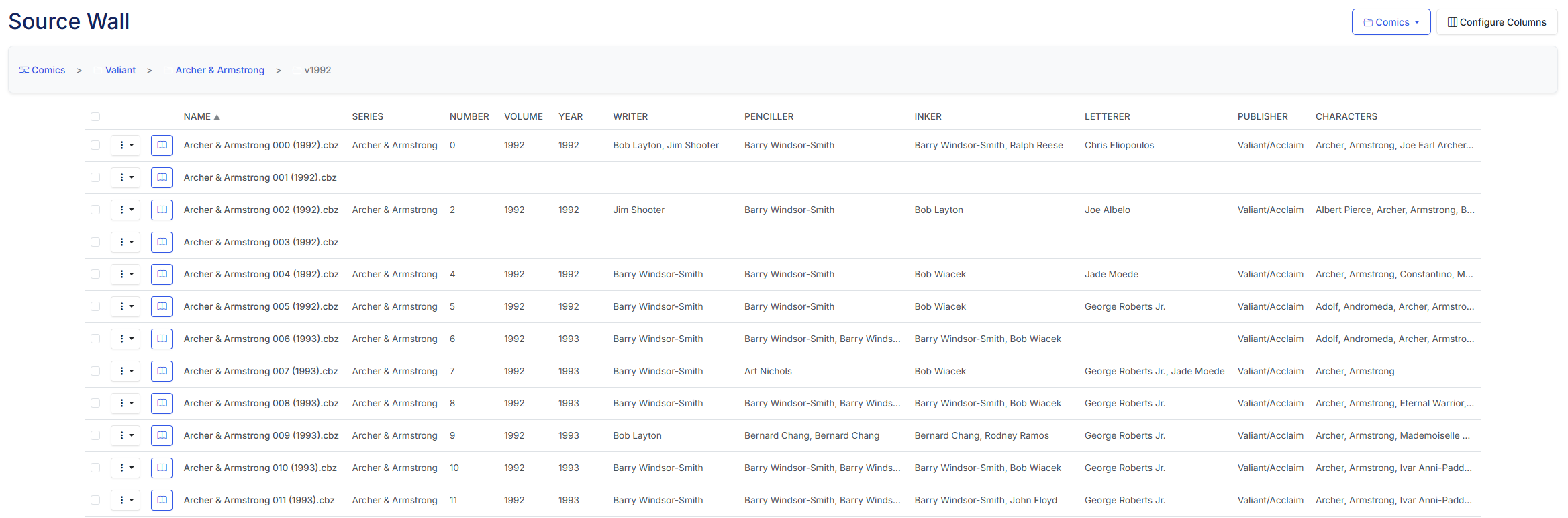
Example Source Wall
Fine-tuning your comic metadata just got a lot easier. In v4.10, we've introduced the Source Wall view (naming inspired by Metron). This view is a table-based view of your libray, that also includes the metadata.

Publishers
Config Options
You can configure the Source Wall view by clicking the icon in the top right corner of the Source Wall view.
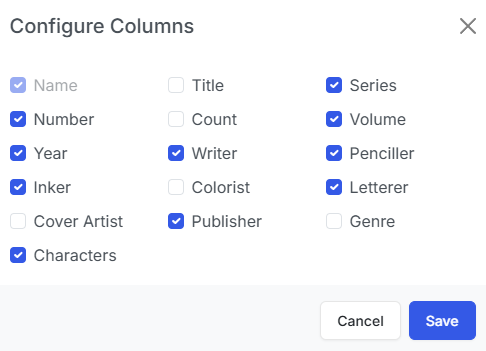
Config Options
This allows you to show/hide the columns that are displayed in the Source Wall view.
Issue Options
You can read any issuse in this view by clicking the icon in the row of the issue.
Additionally you can perform 9 actions on issues via the dropdown menu that can be accessed by clicking the menu.
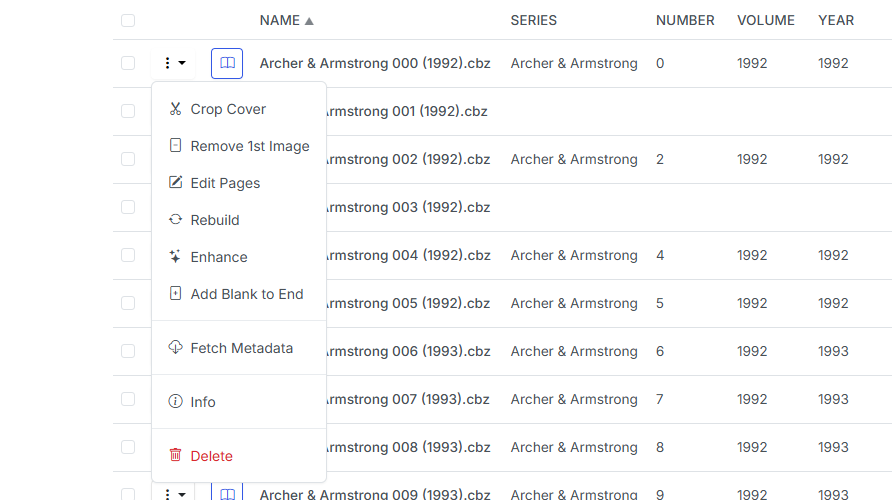
Example Issue Dropdown Menu
- Crop Cover: This will crop the first image of the CBZ, saving the right-side as the new cover and the full image as the 2nd image. This is the same process as Crop Cover.
- Remove First Image: This will remove the first image from the issue. This is same feature as Remove First Image. I recommend using this option after using "Edit File" as to ensure the incorrect image is truly the first image in the file.
- Edit Pages: This unpacks the CBZ and allows you to edit the files. See a full list of features in the Edit File section.
- Rebuild: This will quickly rebuild a incorrectly built CBZ file and/or convert a CBR to a CBZ file. This is the same feature as Rebuild.
- Enhance: This will enhance the image quality of all images in the issue. This is the same feature as Enhance.
- Add Blank to End: Adds a blank
.pngfile namedzzzz9999to the file. This corrects display issues with Manga files. - Fetch Metadata: The retrieves the metadata for the issue and generates the
ComicInfo.xmlfile. This is the same process documented at Get ComicInfo.xml - Info: View the full contents of the
ComicInfo.xmland other file information (number of image, image size, etc) - Delete: This will delete the issue. This is the same feature as Delete.