Bulk Actions on ComicInfo.xml
CLU let's you manage your ComicInfo.xml files in bulk with two supported actions: Update and Delete.
Bulk Update ComicInfo
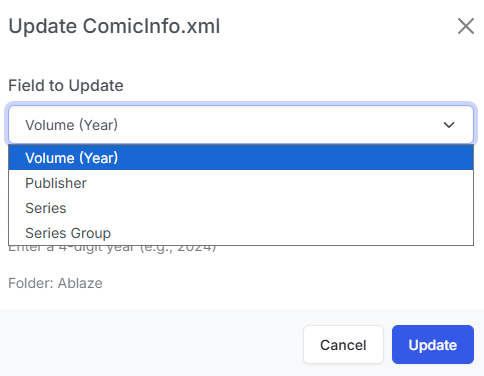
This feature allows you to bulk update values in the ComicInfo.xml of each CBZ file in a directory.
There are currently 4 fields supported:
- Series: Update the Series Name for all files in the directory
- Issue: Update the Issue Number for all files in the directory
- Volume: Update the Volume Number (Year) for all files in the directory
- Publisher: Update the Publisher for all files in the directory
Bulk Delete ComicInfo
This feature allows you to bulk delete the ComicInfo.xml for each CBZ file in a directory or each selected file.
Library View

From the Library view, you can CTRL+click or SHIFT+click to select multiple files. As soon as you have 2 or more files selected, you should see the Bulk Actions Bar. Simply click the "Remove XML" and the ComicInfo will be removed from each selected file.
File Browser
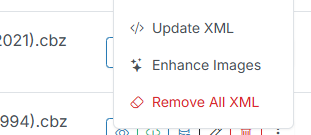
While using the File Browser, you'll see a new Context Menu option on all folders. Clicking the "Remove All XML" menu option and CLU will remove the ComicInfo.xml from all files within that directory.