Metadata Providers
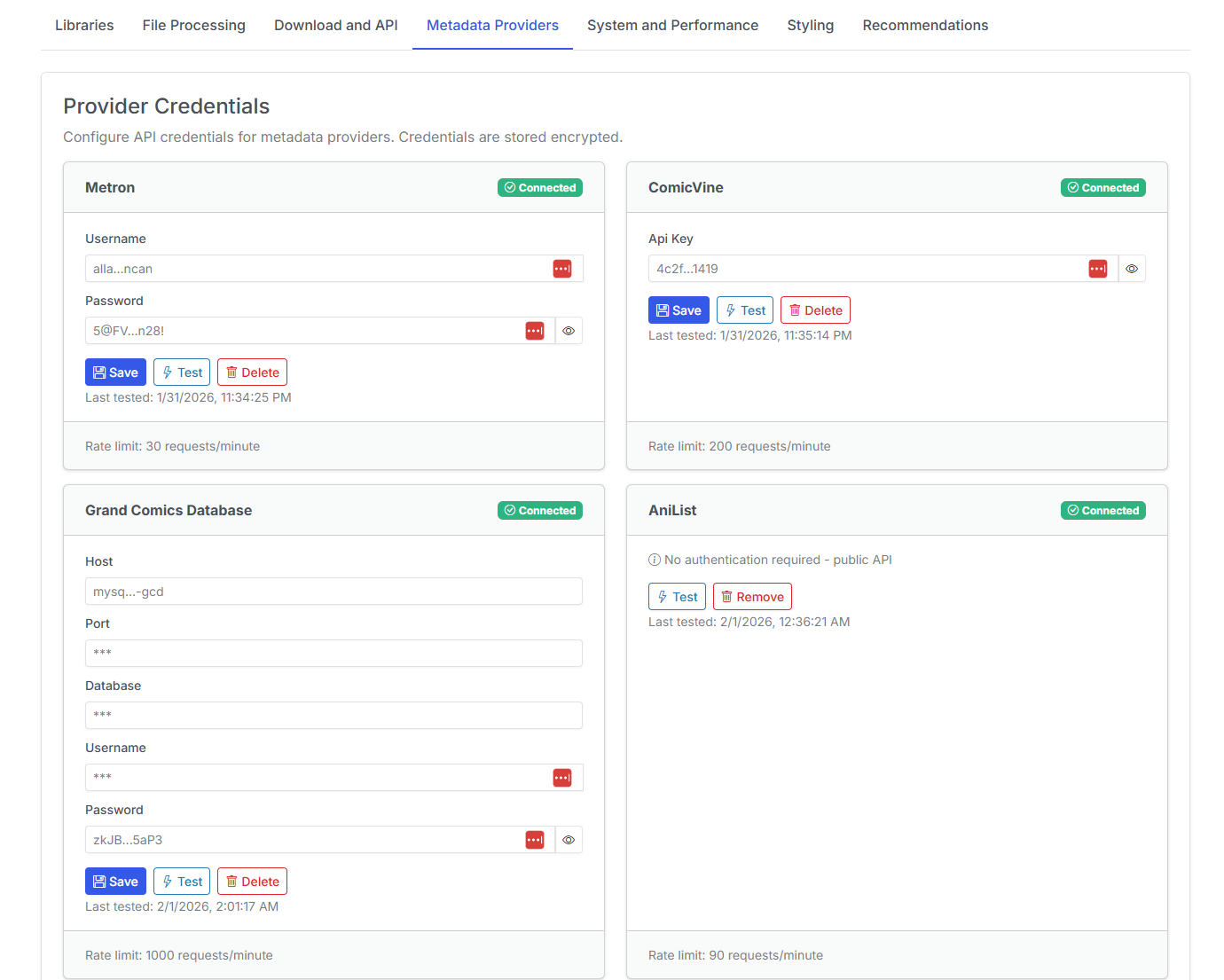
Metadata provviders and credentials are now configured and stored in the database. This allows you to add, edit, test and remove metadata providers from this page.
Configure MetaData Providers
For each section, enter the prompted credentials and click the Save button to save the credentials.
Once the credentials have been saved, you may click the Test button to test the credentials.
If the test is successful, a green checkmark will appear and say Connected in the provider header.
API Keys
Existing API keys and credentials are still in settings (config.ini) and will be removed in a future release.
Available Metadata Providers
Metadata providers and implementations status are listed below:
| Provider | Status | Description |
|---|---|---|
| Metron | Metron Comic Book Database | |
| ComicVine | ComicVine Database | |
| GCD | Grand Comics Database (requires local setup) | |
| AniList | AniList Database (FUTURE IMPLEMENTATION) | |
| Bedetheque | Bedetheque Database (FUTURE IMPLEMENTATION) | |
| MangaUpdates | MangaUpdates Database (FUTURE IMPLEMENTATION) |
Assign Metadata Providers to Libraries
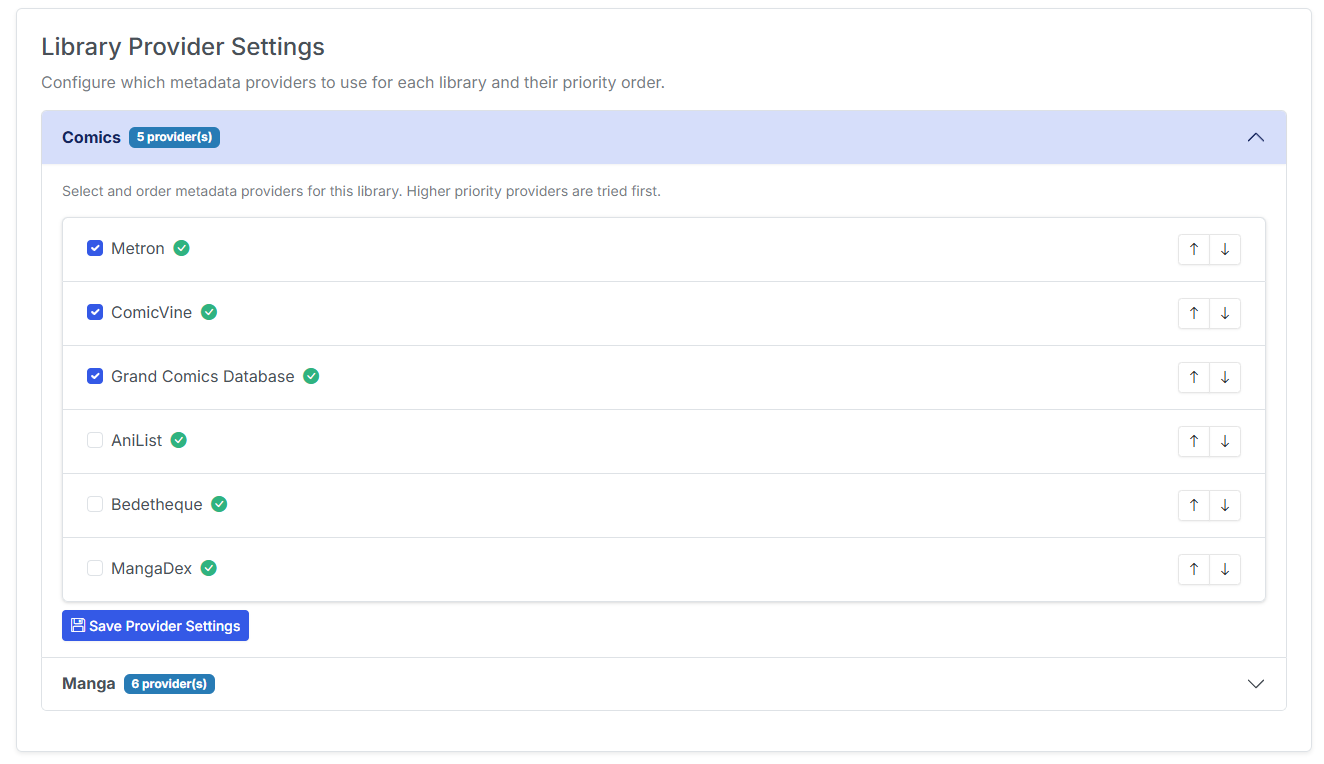
For each library, you can enable the metadata providers you want to use. Simply clcik the checkbox to enable the provider. Click the Save Provider Settings button to save the changes.
You can assing priority and preference for each library and provider combination. Click the up and down arrows to change the priority and preference.
When applying metadata to an issue or a folder, CLU will iterate through the providers in order of priority and preference and apply the metadata from the first provider that returns a result.