Personalization
Update the layout of the homepage, change the theme, and enable recommendations from the Personalization page.
Theme Selection
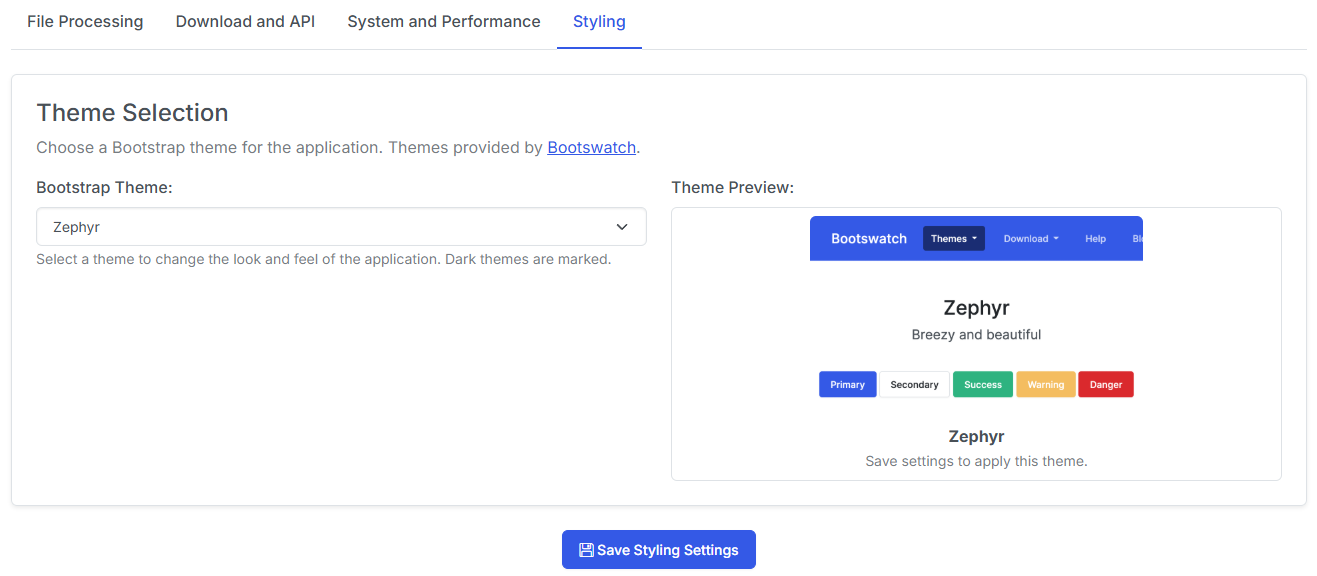
Simply select the theme from the dropdown and click Save. You'll see a preview image of the theme when selected.
Note
The Default theme and the Zephyr theme are the only officially supported themes.
Homepage Layout
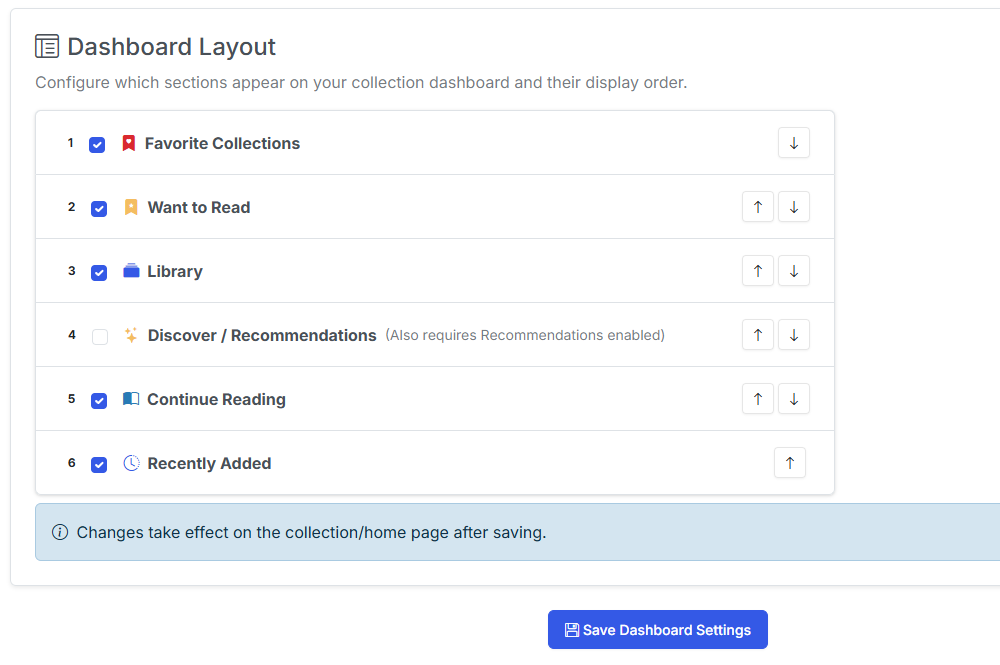
Ordering
Use the up and down arrows to reorder the sections on the homepage.
Display
Check and uncheck sections you want to display on your homepage.
Note
For an explanation of each section, visit the Collection page
Recommendations
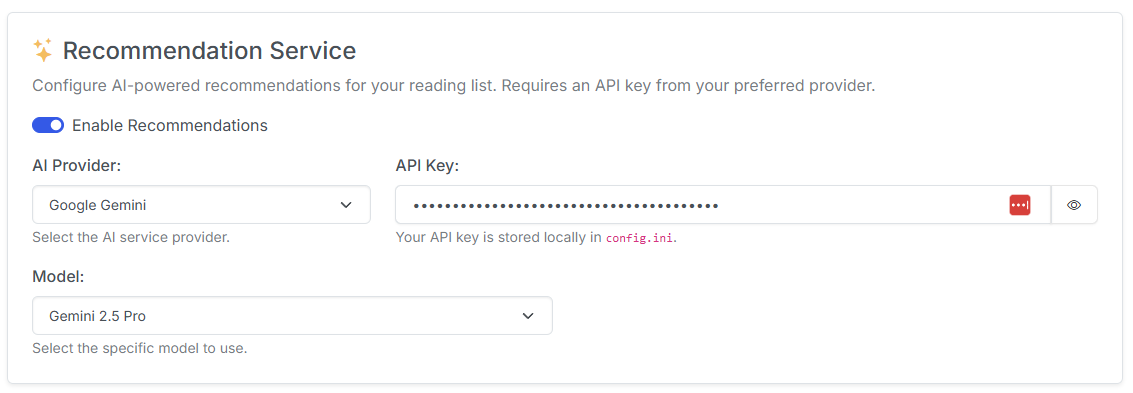
This setting let's you configure an AI-powered recommendation service for your reading list. Requires an API key from your preferred provider.
This feature takes your reading history and "Want to Read" list and uses it to generate personalized recommendations for you. Recommendations are manually triggerer, so you can manage how often they run and use them when you want to find something new to read.
AI Provider
Select your preferred AI provider from the dropdown. Currently supported providers are:
- OpenAI (ChatGPT)
- Anthropic (Claude)
- Gemini (Google)
API Key
Enter your API key for the selected provider.
Model
Select the model you would like to use for recommendations.