Weekly Packs
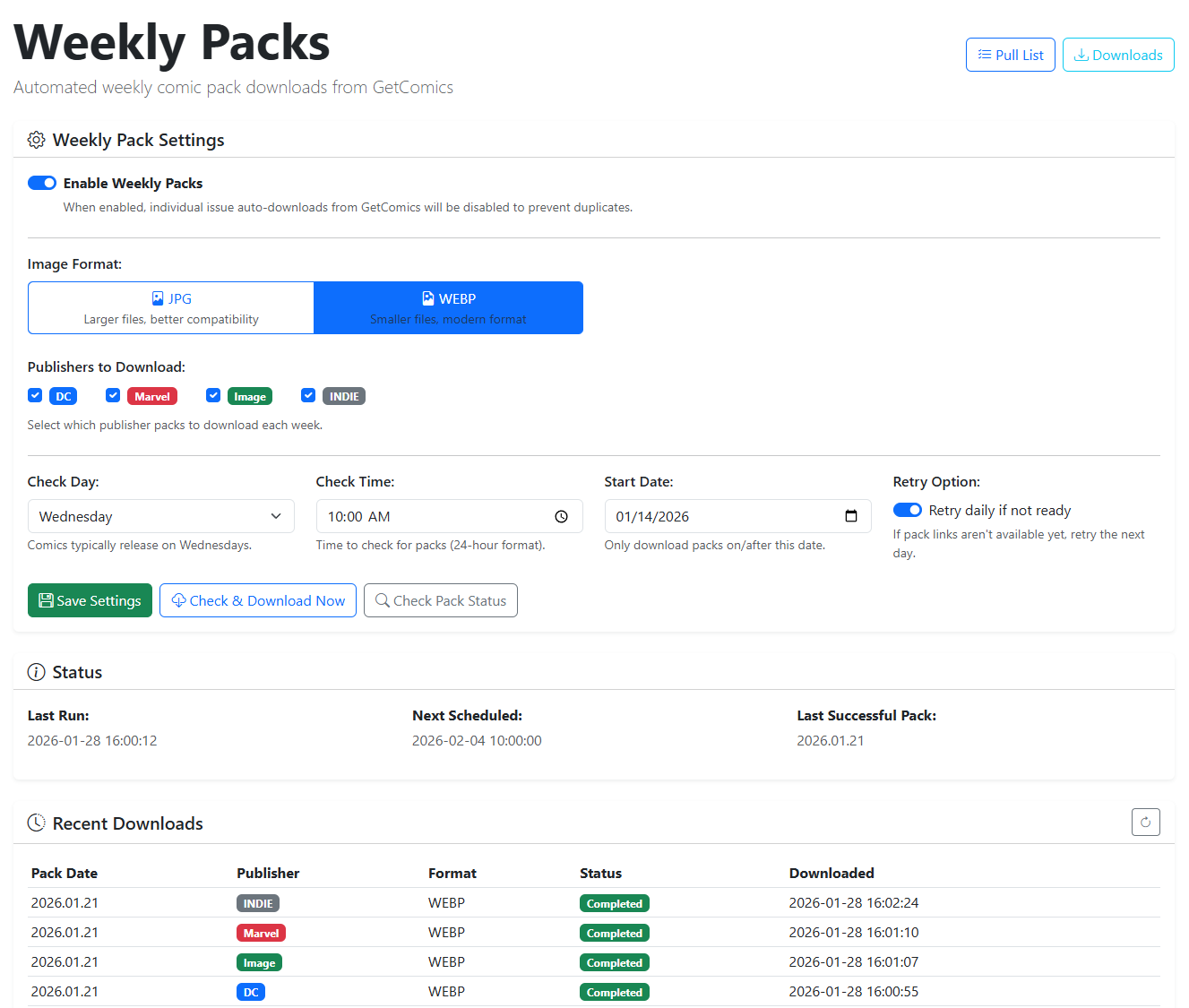
If you want everything release in a week, you can use this feature to download all releases from a Publisher for a given week.
Weekly Pack Features
Below, we walk through each setting of the Weekly Pack feature.
Weekly Packs Disables Automated Downloads
If you have weekly packs enabled, you will not be able to use the automated download feature. The assumption is that you prefer the weekly download to the daily download of individual issues.
Publishers to Download
Weeklly packs are currently available for the following publishers:
- Marvel
- DC Comics
- Image Comics
- Dark Horse Comics
- Indie (this covers all other publishers)
Select one or more publishers to download the associated weekly pack.
Download Options
There are multiple ways to sort your pull list to quickly find the series you are looking for as well. Simpley click the Table Header to sort that column.
| Option | Description |
|---|---|
| Check Day | Day to begin checking for a new weekly pack |
| Check Time | Time to begin checking for a new weekly pack |
| Start Date | The first weekly pack you want to download. We support 6 months of weekly pack history. |
| Retry Option | Retry Daily if Unavailable |
| Save Settings | Save changes and begin any new schedule |
| Check & Download | Check immediately and download the latest weekly pack if available |
| Check Pack Status | Check the status of the latest weekly pack to see if it's available for download |
Status
This section shows the Last Run, Next Run and the last successful pack that was downloaded.
Recent Downloads
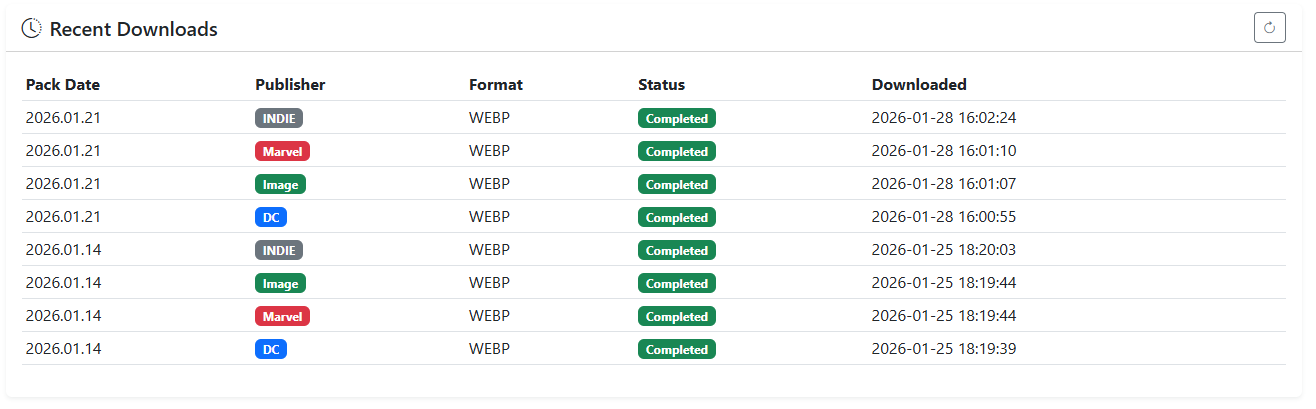
This section shows details about past pack downloads.
| Item | Description |
|---|---|
| Pack Date | Weekly Pack Date |
| Publisher | Publisher of the weekly pack |
| Format | Format of the downloaded weekly pack (JPG or WEBP) |
| Status | Status of the weekly pack (Success, Failed, or Processing) |
| Downloaded | Date and time the weekly pack was downloaded |