v4.14 - External API, Smart Rename, Trash Restore, & More
v4.14 turned out to be a much bigger release that I had planned. With no bugs surfacing, I was able to add little features here and there over the past few weeks. Combine that with a work trip that spurred development of the external API and great feedback from Discord users on a few things, and here we are.
In this release I've started building out an external API, added a metadata-driven Smart Rename for the File Manager, updated the Trash to restore files directly to their previous location,, and a proper backup/restore flow for the database. Plus a long list of quality-of-life fixes and a faster, paginated All Books and Missing XML view.
External API & Companion App Support
Ever wanted to build a reader, a phone app, or a quick dashboard against your library? Now you can. I did not have this feature planned but as a work trip was approaching and I traded in my old iPad for a Surface Pro - I wanted a way to read my books offline and have progress sync back to CLU when I got home.
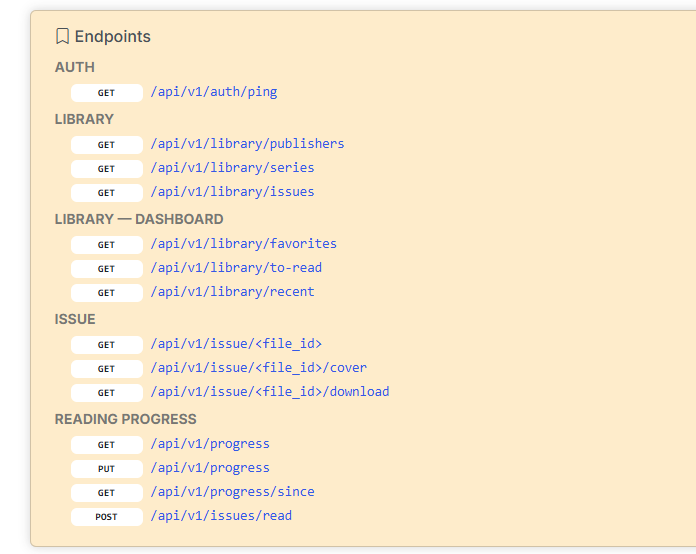
v4.14 ships an official /api/v1 REST API with bearer-token authentication. It lets external apps browse your collection, fetch covers, track reading progress, and pull series metadata — with pagination, filtering, and volume support throughout.
The API supports both filesystem browse (walk the disk as you'd see it in the UI) and metadata browse (query series, issues, and recents from the database). Reading progress can be read and written, so a companion reader can sync back where you left off.
A full reference is available in the Settings once you deploy the update — every endpoint, every parameter, every response shape. Tokens are generated and revoked from the new API Configuration page.
Smart Rename for the File Manager
This was added after discussions on Discord called out that the current folder rename was really just a filename cleaner and didn't abide by custom rename rules.
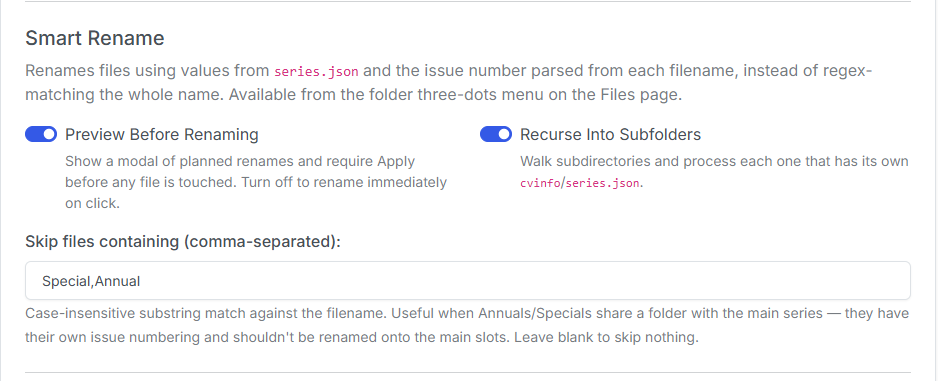
The File Manager now has a Smart Rename option that pulls the series name, volume, and year directly from series.json metadata or retrieves it via cvinfo nstead of trying to parse the filename. The only thing read from the filename is the issue number — everything else comes from curated metadata, so your collection ends up consistent the first time.
It also supports Exclude Terms — a comma-separated list of words (like Annual,Special,TPB) that Smart Rename will leave alone. Defaults for Annual,Special are installed for you so that they don't get merged into the main series.
Reading List Improvements
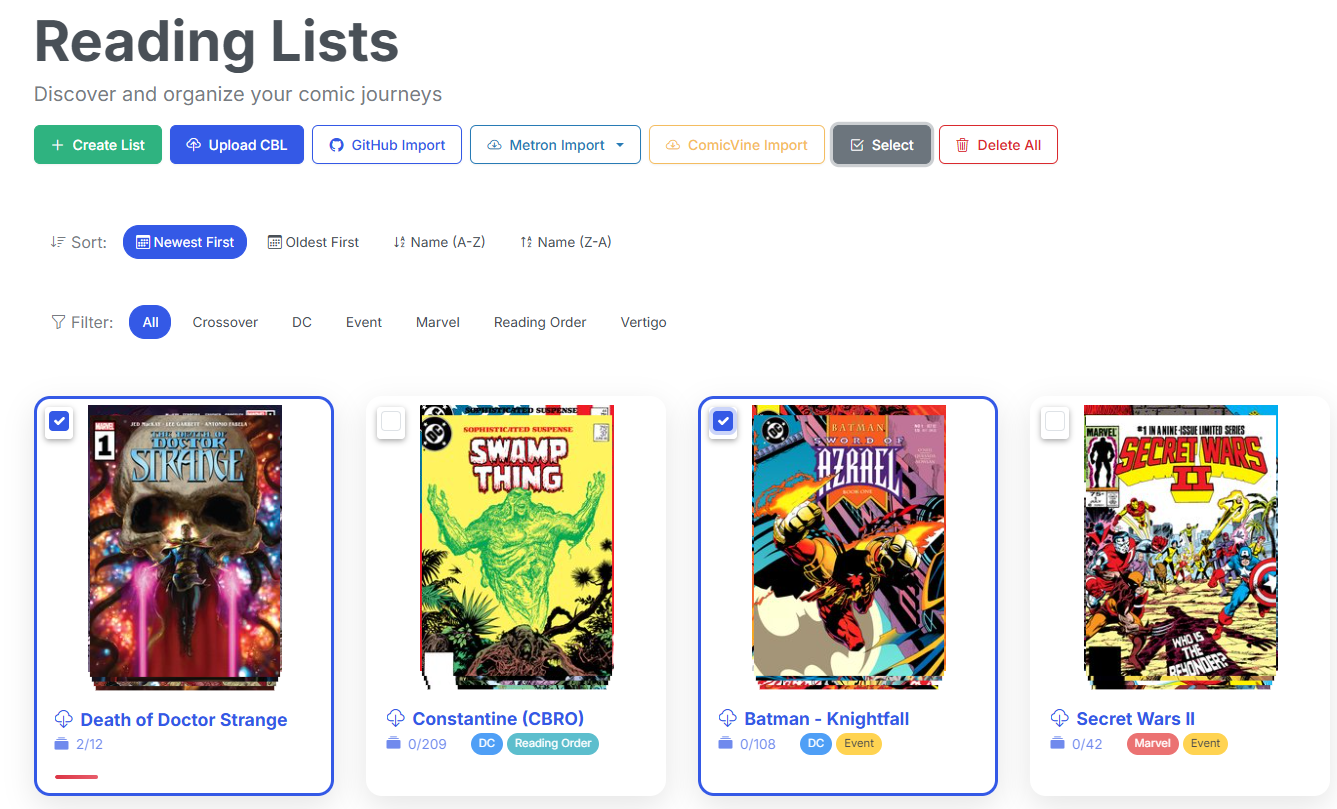
The Reading List page has seen a number of quality-of-life improvements. You can now sort reading lists by name or date created, and crop awkward covers without leaving the list. You can also enabled multi-select on Reading Lists, allowing you to delete multiple reading lists at once.
Database Backup & Restore
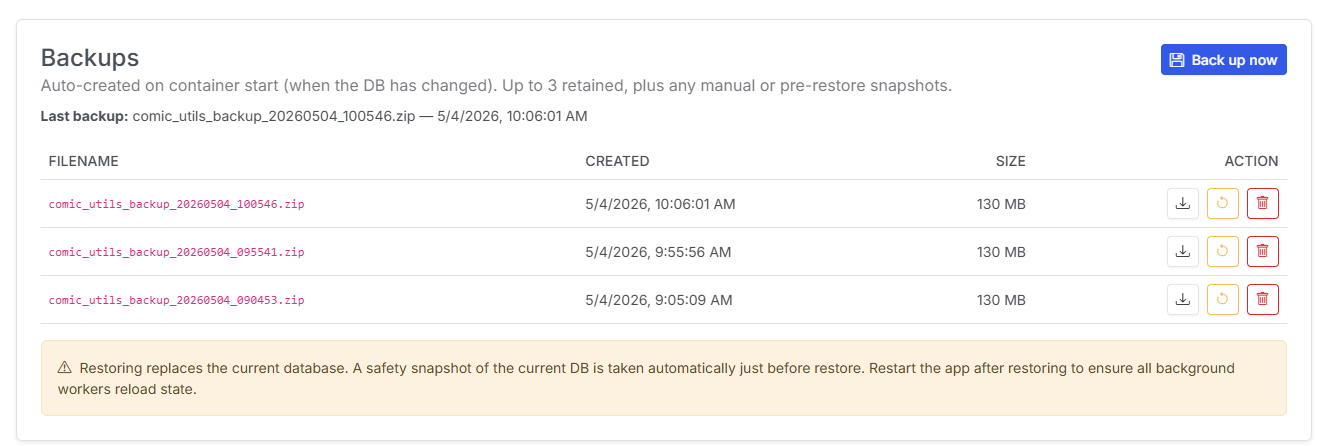
Your CLU Comics database is now a first-class citizen. The new Database tab in Settings lets you create a backup with one click, browse a history of previous backups, and restore from any of them. Before any restore, a pre-restore safety snapshot is created automatically — so a bad restore is recoverable too.
As part of this work, the database has moved from /cache to /config. Existing installs are migrated automatically on first launch. Docker users: double-check that your /config volume is mounted so backups survive container rebuilds.
Other Improvements
- Server-side pagination for All Books — the All Books view now uses the database directly, with letter filters (A–Z, #), full-text search, and a total count. No more long waits on large libraries.
- Mylar-compatible
series.json— written automatically when you subscribe to or map a series, so Mylar3 and other comic apps can read your library cleanly. - Pull-list export/import — export your subscribed series as JSON and import on a fresh install; publisher links are re-resolved on the way back in.
- PDF uploads — Drag and drop upload support for PDFs has been added in the File Manager, allowing you to easily add PDFs to you collection.
- Watch/Target Processing Directory Validation — Added validation to prevent the Watch/Target directory from being set to the same as the root
/datadirectory and migrated settings to the DB. - Parallel bulk ComicInfo updater — Source Wall and other batch metadata updates now process in parallel. Bulk edits of metadata should now complete up to 4x faster.
- Missing-XML rescan — a Rescan button finds files flagged as missing ComicInfo and tries again.
has_comicinfois only cleared on definitive failures, not transient read errors. - Schedules page — all background-job schedules (metadata sync, auto-downloads, trash cleanup) moved out of Settings into their own dedicated Schedules page.
- Source Wall Row Highlight — selected rows now stand out so you don't lose your place mid-edit.
- Folder thumbnail probe & metadata hardening — no more cards stuck on "Loading…" when a folder hits a metadata error.
Bug Fixes
- Home page refresh now preserves a deeply nested folder path instead of jumping back to the library root.
- The GetComics browser extension recognizes Pixeldrain's newer
/dls/redirect (in addition to the legacy/dlds/). Extension bump required. - Publisher info populates correctly when subscribing to a series across different providers.
- Opening an issue from a paginated stack jumps to the correct page first, so you don't lose your spot.
- Rescanning a missing-XML item now removes it from the view directly instead of reloading the whole directory.
- Quieter JS console — debug-only logging and guarded grid initialization.
That's v4.14. As always, feedback is welcome via Discord or GitHub — and if you build something against the new API, share it.
Previous release: v4.11 & 12 — Manga Metadata, Reading Lists, & More