Reading Comics
Reading a Comic
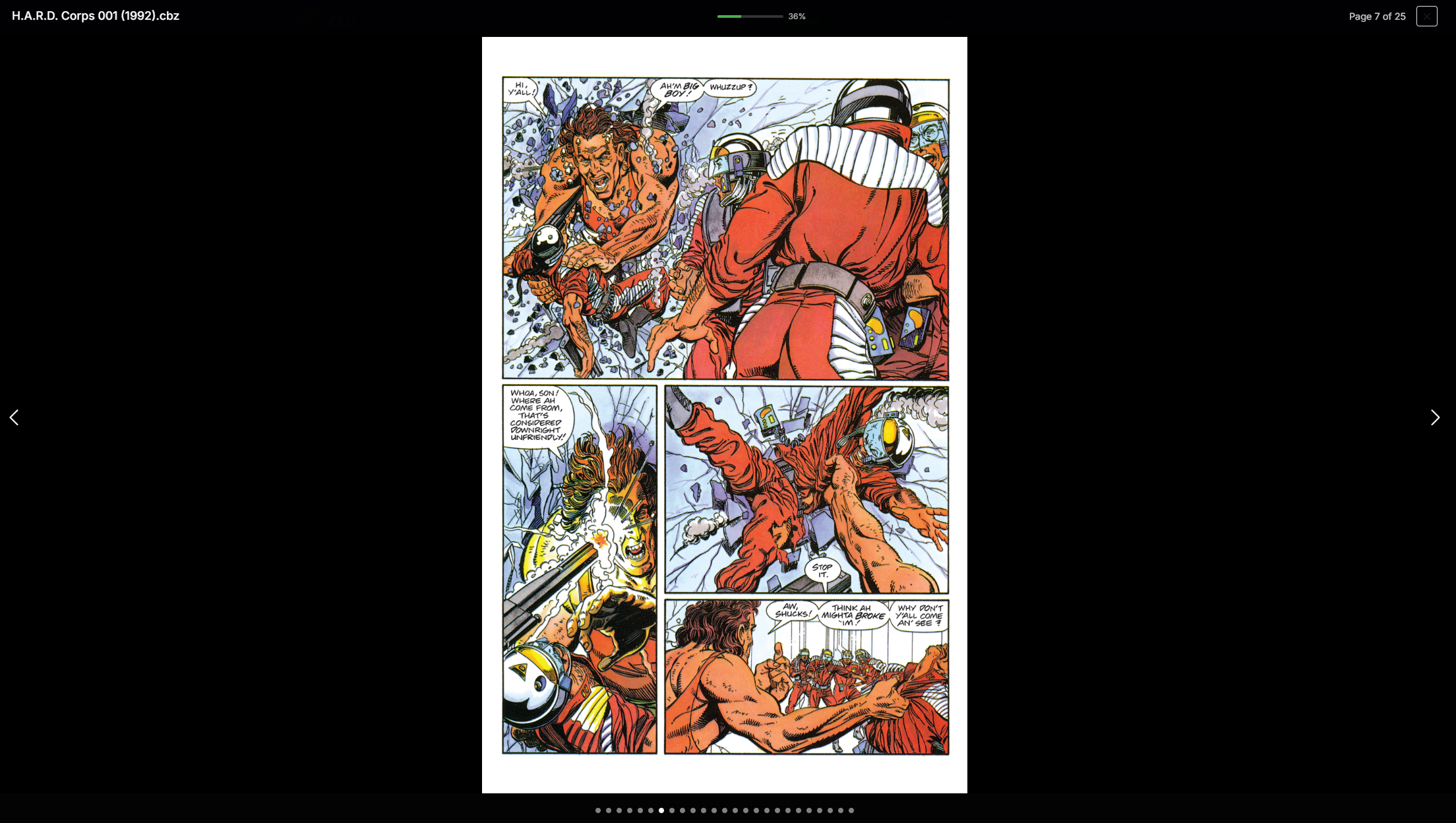
When browsing your collection, you can click on a comic to read it. The reader will open in a modal over the page.
Read vs Unread Status
Read vs Unread Status
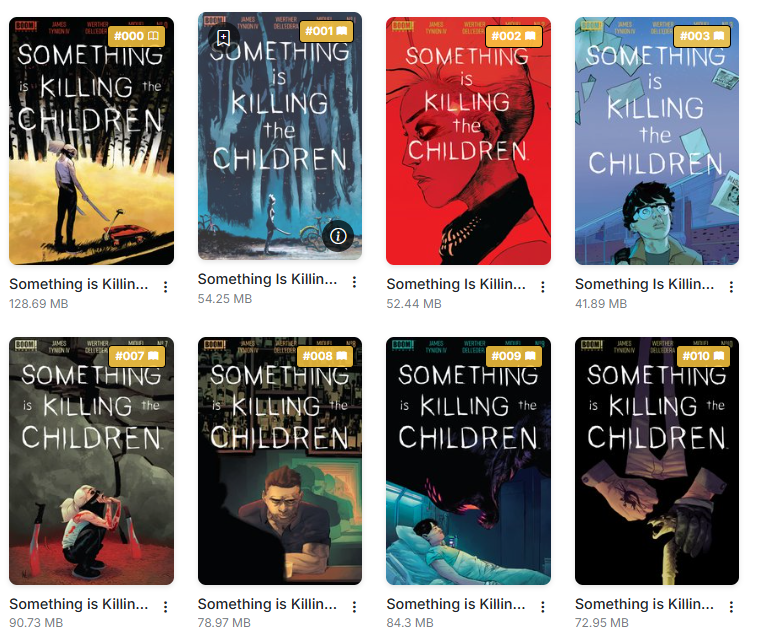
When you read a comic, it will be marked as read and saved in your history. This is done automatically when you reach 90% of the issue.
Additionaly, you'll see a unread/read icon in the right corner of the cover, directly after the issue number
Reader Features
The current implementation is a simple reader that allows you to read your comics quickly.
It has the following features:
- Fast Performance: Even with large files, the reader will load near instantly. It does this byb loading only the first image of the file and pre-loading the next image as you read.
- Responsive Design: The reader is designed to work on any device, whether it be a desktop, tablet, or phone.
- Page Count: The reader will show the page count of the issue along with the current page number.
- Progress Bar: The reader will show a progress bar, indicating how far you have read. When this reaches 90%, the issue will be marked as read and saved in your history.
- Jump to Page: The dots along the bottom allow you to jump to a specific page in the issue.
- Tap to Hide Controls: Tap or click the page to hide or show the header and footer.
New in v6.6 — Tap to hide works at every size and orientation
Tap-to-hide used to work only on screens up to 1024px wide, so turning a tablet to landscape brought the controls back and tapping stopped hiding them. It now works at every screen size and orientation, in the collection, metadata browser, reading list view and source wall.
On desktop, the header and footer now overlay the top and bottom of the page rather than sitting beside it. They still show when the reader opens, and one click hides them. Double-click still zooms.
Resume Reading
Resume Reading
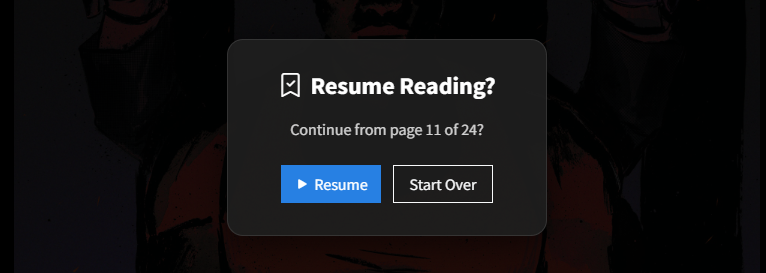
If you close the reader before reaching 90%, CLU will Bookmark your place and ask if you want to resume reading when you open that file again
You can manually set a bookmark by clicking on the icon in the top-right corner.
Reading Position Reliability
Improved in v6.3
Reading positions are saved far more reliably, and follow a file through renames, moves and CBR→CBZ conversion.
That last one is the headline: reorganizing your library no longer costs you your place. Rename a file, move it to a different folder, or convert it from CBR to CBZ, and your bookmark comes with it.
The rest of the improvements:
| Change | What it fixes |
|---|---|
| Autosave and unload flushes | Position is saved on tab close, refresh, and navigation — not only on an explicit modal close. A mobile browser discarding the page no longer loses your place. |
| Resuming no longer destroys the bookmark | Jumping to a late bookmark used to count as reading progress, so resuming at page 90 of 100 instantly read as 90% complete — closing then marked the comic read and deleted the bookmark. |
| "Start Over" actually clears the position | It used to return you to the same place forever. |
| Very short comics can be bookmarked | Comics of three pages or fewer were previously excluded. |
| No cross-user leakage | One user's reading progress no longer appears on another user's browse listings. |
Unload flushes only ever save
The autosave and unload paths never mark a comic read and never delete a bookmark — a hidden tab is an ambiguous signal, and guessing wrong would destroy the position it's supposed to protect.