Source Priority
Source Priority ranks CLU's download sources. You set it from the Download Clients tab in Settings.
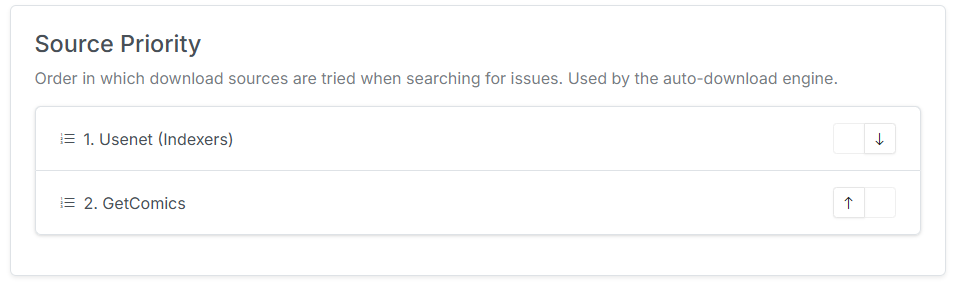
Three sources as of v6.3
Source Priority used to be a single Usenet vs. GetComics comparison. As of v6.3 it is a general ranking over three sources — GetComics, Usenet, and DC++ — and both the real auto-download loop and the dry-run simulation walk the same ordered list.
What it does and doesn't control
This is the part worth reading twice, because Source Priority means two different things depending on where you are:
| Auto-download | Manual search modal | |
|---|---|---|
| Order | Sources are tried in ranked order. | Sections are displayed in ranked order. |
| Membership | An unranked source is skipped entirely. | Every configured source is queried, ranked or not. |
Ranking governs auto-download membership
If a source isn't in your Source Priority list, the nightly auto-download job will never use it — no matter how well configured it is.
The manual search modal is the opposite: it queries everything you've set up, so an unranked client is still fully usable by hand. This is why a source can appear in your search results and yet never grab anything automatically.
Auto-download behavior
For nightly auto-download, CLU walks your ranked sources in order for each wanted issue:
- Search the highest-ranked source.
- If it returns a qualifying match, grab it and stop — lower-ranked sources are skipped for that issue.
- If it returns nothing usable, fall through to the next ranked source.
- If no ranked source produces a match, the issue stays wanted.
Only results that actually match the wanted issue are grabbed. A no-issue or bare-title release is never auto-grabbed — see Searching & Grabbing.
Example
With a priority of Usenet → GetComics → DC++:
| Situation | What happens |
|---|---|
| Usenet has a match | Grabbed from Usenet. GetComics and DC++ are skipped. |
| Usenet has nothing, GetComics has a match | Grabbed from GetComics. DC++ is skipped. |
| Only DC++ has a match | Grabbed from DC++. |
| Nothing matches anywhere | The issue stays wanted and is retried on the next run. |
| DC++ configured but not ranked | DC++ is never tried, even for issues nothing else can satisfy — but it still appears in the manual search modal. |
Search UI behavior
In the manual per-issue search, on the Wanted Issues page, and in the Reading Lists search modal, each source appears under its own labeled section header. Source Priority controls which section is listed first, so your preferred source is at the top — but you can grab from any of them.
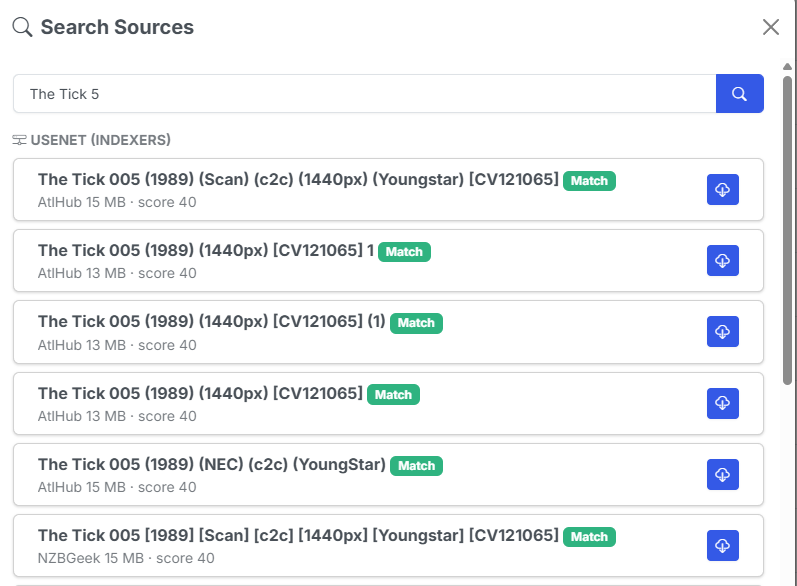
DC++ results arrive last
DC++ searches take around 30 seconds because AirDC++ paces its hub queries. Its section fills in after the others regardless of where it sits in your ranking. See DC++ Searching & Grabbing.
Source Priority vs. Download Provider Priority
Two different settings
Source Priority decides which kind of source (GetComics, Usenet, DC++) to try first for a wanted issue.
Download Provider Priority, set in the Download and API tab, only orders the DDL providers within GetComics results relative to each other. It has no effect on Usenet or DC++.
Where this page lives
Source Priority now governs all three download sources, but the page stays here in the Usenet group so existing links keep working. It applies equally to DC++ and File Downloads.