Missing Issue Check
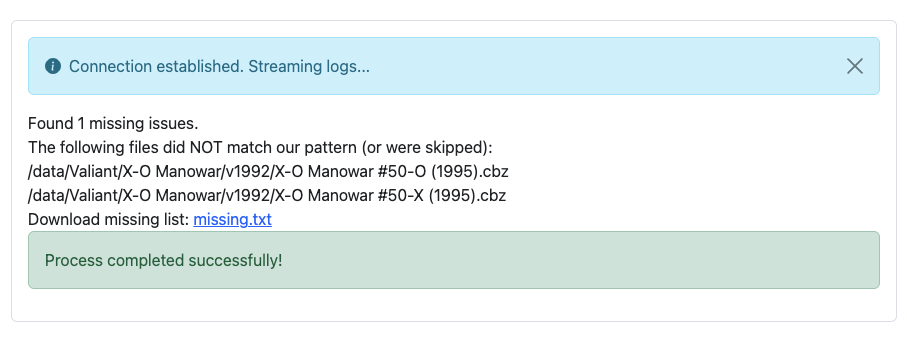
The Missing Issue Check tool scans a folder and its subdirectories to identify gaps in issue numbering sequences, generating a report file named missing.txt.
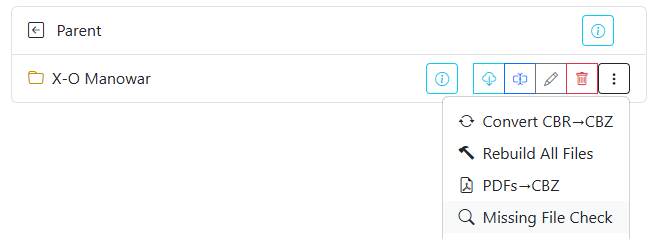
You can run this tool from the folder actions menu () in either the File Manager or the Collection view by selecting Missing Issue Check.
How Detection Works
The check evaluates numeric patterns in filenames across each directory:
- Sequences are assumed to start at issue
#1(e.g.01,001) and progress sequentially up to the highest issue number present in that folder. - Any gaps found between issue 1 and the highest numbered issue are recorded in the report.
- When more than 50 consecutive issues are missing (often seen when series switch to legacy numbering, e.g. jumping from issue
#70to#500), the report summarizes the gap as a range:Series Name 071-499 (1998) [Total missing: 429]
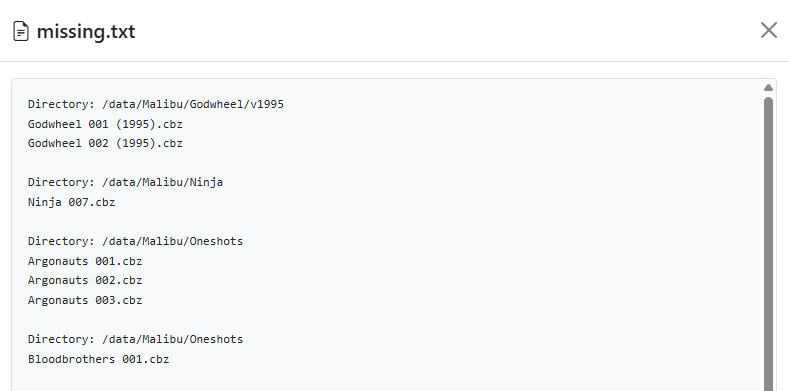
Sample missing.txt output:
Directory: /data/Comics/Eternal Warrior/v1992
Eternal Warrior 008 (1992).cbz

Directory: /data/Comics/Harbinger/v1992
Harbinger 011 (1992).cbz

Directory: /data/Comics/X-O Manowar/v2012
X-O Manowar 005 (2012).cbz
X-O Manowar 006 (2012).cbz
X-O Manowar 007 (2012).cbz
Ignored Terms and File Rules
To avoid false-positive gap reports caused by annuals, preview editions, or trade paperbacks, customize ignored terms and file patterns in System Settings under Missing Issue Configuration.
Accessing missing.txt
The resulting missing.txt report is saved directly inside the scanned directory.
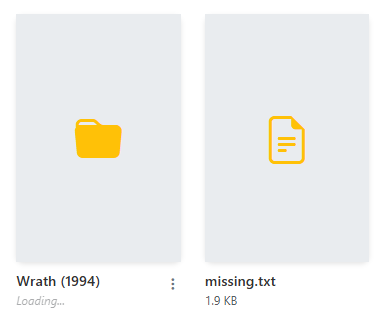
You can open and read missing.txt directly within the CLU interface by clicking the file card in the browser: