My Account
New in v6.3
Appearance and Dashboard Layout are new in v6.3. The API Tokens pane arrived in v6.2.
My Account (/account) is where every user — Reader included — manages the things that belong to them alone. It has three panes.
| Pane | What it controls | Who can change it |
|---|---|---|
| Appearance | Your Bootswatch theme. | Every user, for themselves. |
| Dashboard Layout | The order of the homepage sections, and which are hidden. | Every user, for themselves. |
| API Tokens | Your own tokens for /api/v1 and the mobile/desktop clients. |
Every user, for themselves. A Store Owner can also mint and revoke tokens for any account from Settings → Users. |
Getting there
Once there's a session, the top navigation gains a person-icon dropdown with My Account, API Tokens, and Logout.
Single-user installs look exactly the same
The person-icon dropdown only appears when there's a session, so an install running in implicit-owner mode is visually unchanged. You still reach My Account from the gear menu.
How your settings resolve
Each personal setting resolves in three steps, stopping at the first one that exists:
- Your personal override — what you set here.
- The owner's site default — what the Store Owner set in Personalization.
- The hardcoded default — CLU's built-in fallback.
A user with no override follows the site default. That is not a copy of it — it tracks it, so when the owner changes the site default your view changes with it.
Each pane shows a badge telling you which state you're in:
| Badge | Meaning |
|---|---|
| Following site default | You have no override. The owner's default applies now and will keep applying if they change it. |
| Custom | You have set a personal override. The owner's default no longer affects you. |
The Reset button on a pane deletes your override and returns you to Following site default.
Appearance
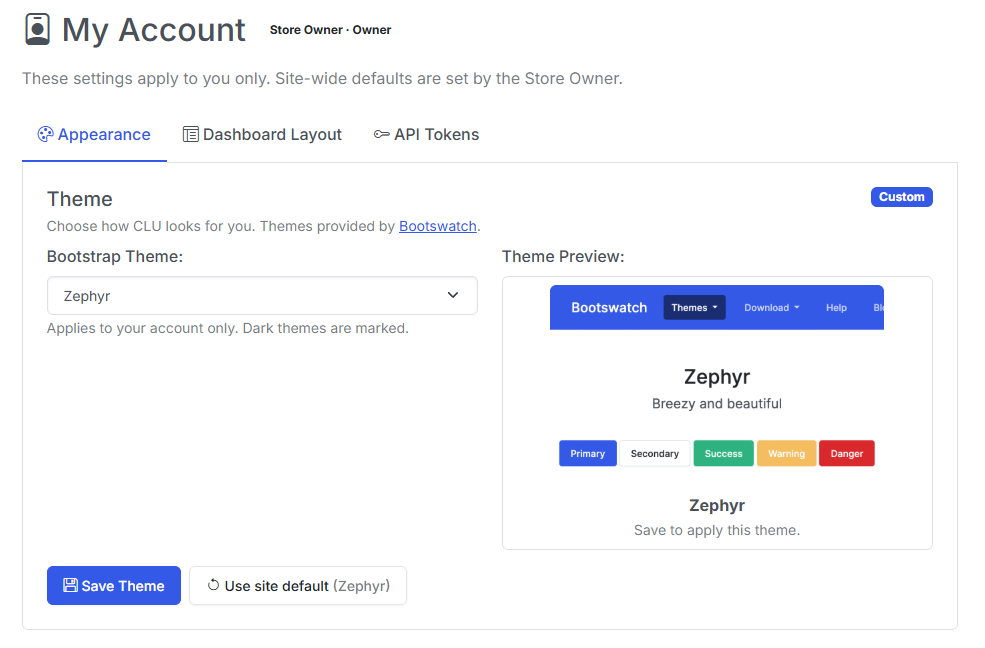
The Appearance pane, showing the theme picker with a Custom badge and a Reset button.
Pick any of CLU's Bootswatch themes. The change is yours alone — a Reader choosing a dark theme does not alter what the owner or anyone else sees.
Note
The Default theme and the Zephyr theme are the only officially supported themes. The rest are provided as-is.
Dashboard Layout
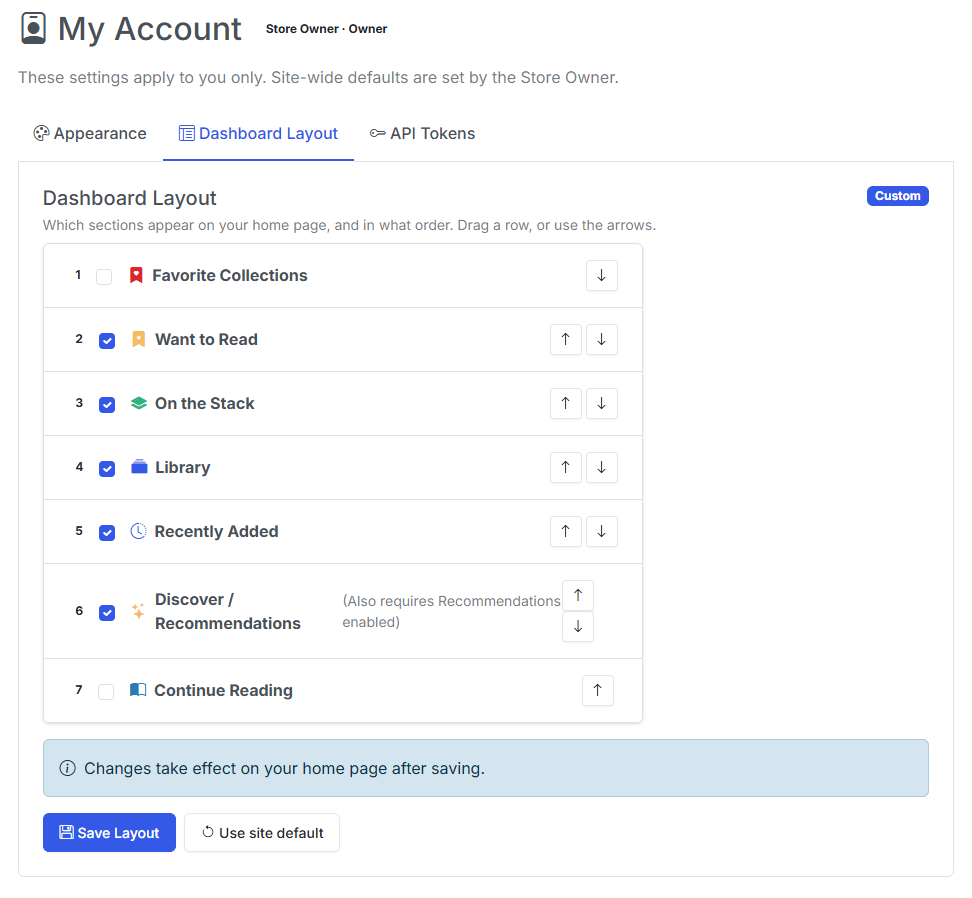
The Dashboard Layout pane. Reorder sections and hide the ones you don't use.
Reorder the homepage sections and hide any you don't want. Hiding Discover now hides it for you, not for everybody.
For an explanation of each section, see the Collection page.
API Tokens
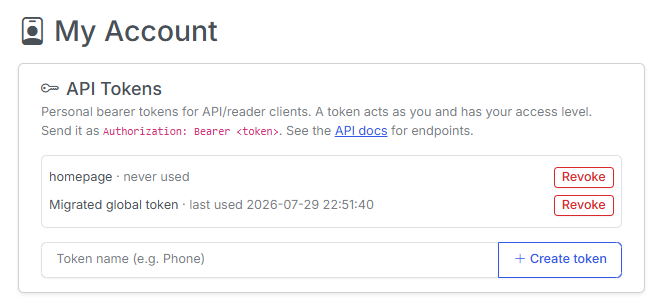
There are two ways an account gets a token:
- Self-service — you mint your own here. A token only ever authenticates as its owner, so it grants no privilege you don't already have.
- Owner-minted — a Store Owner mints one for any account from the user modal in Settings → Users.
Shown once
Tokens are stored hashed. The plaintext value is displayed exactly once, when it's created. Copy it immediately — if you lose it, you must revoke the token and mint a new one.
What a token can reach
/api/v1resolves the bearer token to its user, so reading progress, favorites, and library scope all land on the right account. Reader and Clerk tokens are library-scoped — a token cannot reach files outside its user's grants.- The legacy global token still works and maps to the Store Owner, so existing clients keep running untouched.
/api/insightsaccepts the same tokens as an optionalAuthorization: Bearer <token>header. With a token, the reading counters reflect that user; without one they reflect the Store Owner, so existing tokenless widgets are unchanged. An unknown or malformed token returns 401.
OPDS
OPDS readers authenticate with HTTP Basic Auth using the account's own username and password — not a token. /opds/browse and /opds/to-read filter to the authenticated user, and bad credentials return 401. In implicit-owner mode OPDS stays auth-free exactly as before.
Revoking a token
Revoking takes effect immediately. Any client still using that token starts getting 401 on its next call, so re-authenticate the client with a fresh token before you revoke the old one if you want no interruption.
No migration on upgrade
No migration
Upgrading changes nothing. Every account starts out with no overrides, which means every account follows the site default — exactly the behavior you had before per-user settings existed. Nobody's view changes until they choose to change it.