Skip to content

Wanted

Wanted

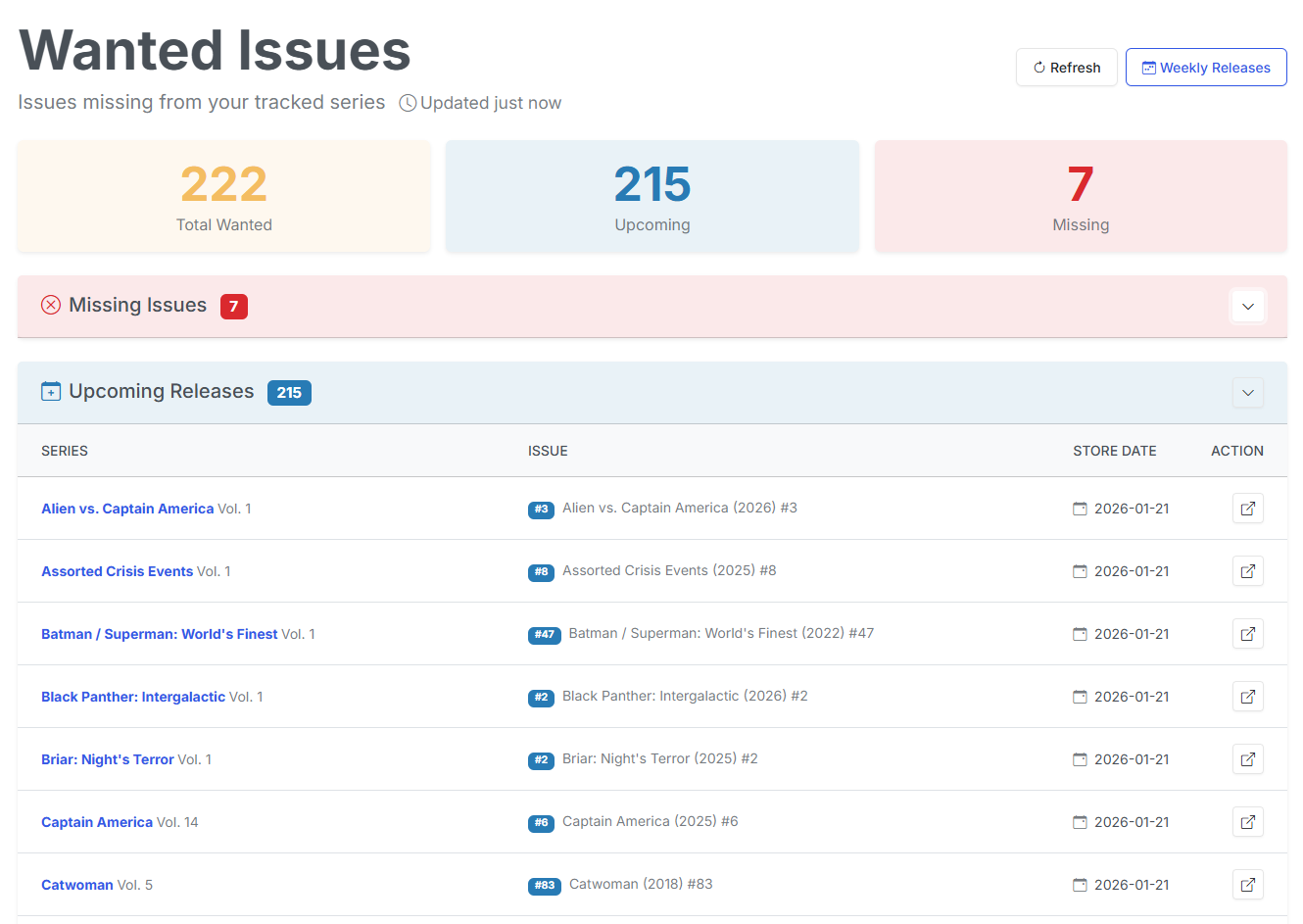
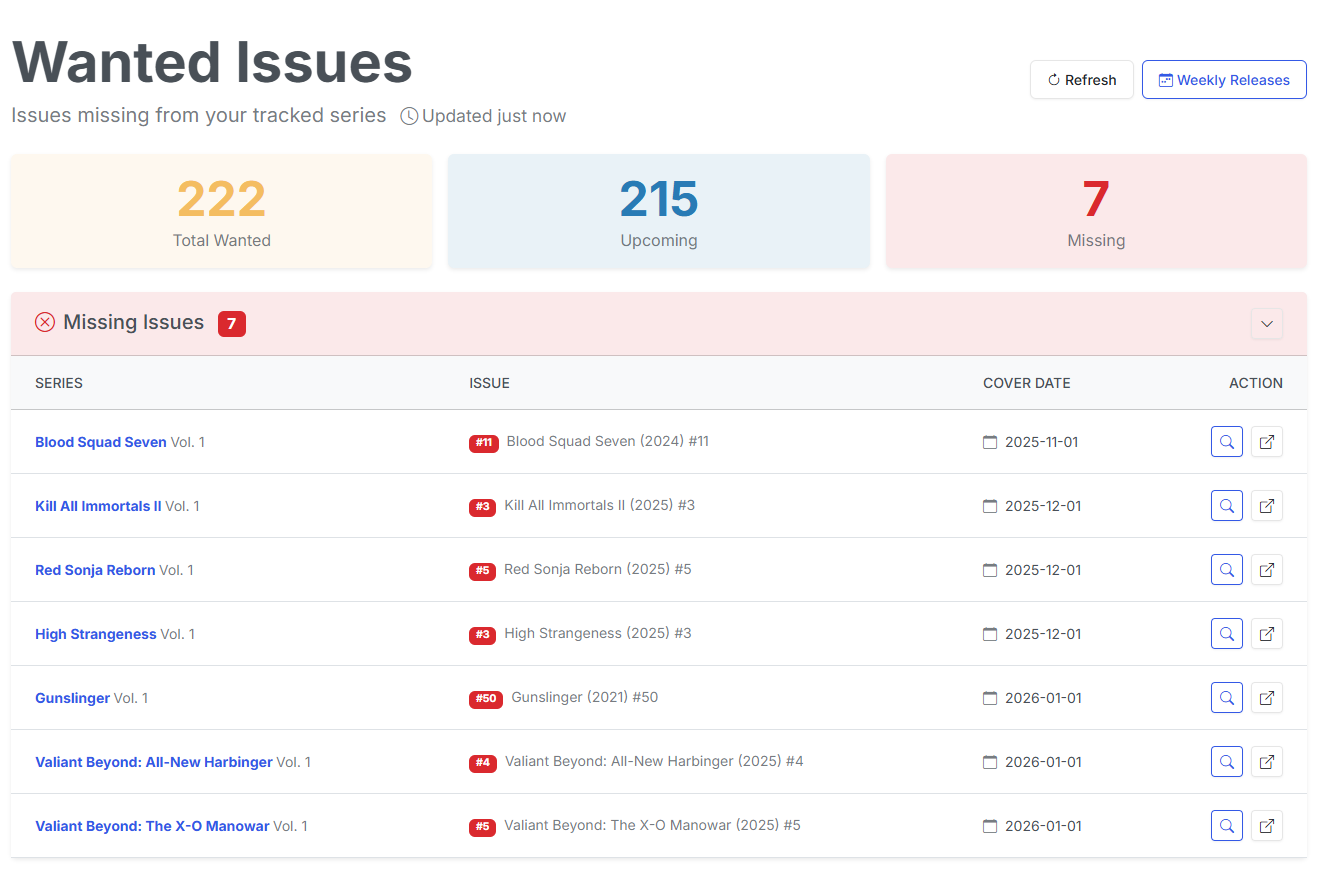
The wanted page will show you all missing and upcoming issues for the series you are subscribed to. We'll review the difference between missing and upcoming issues below.

At the very top, you'll see 3 buttons that perform actions related to the Wanted issues.

Refresh

Checks all series in your Pull List and refreshes your Wanted and Missing issues.

Scan Download Directory

This will scan your download directory to check for any files that may have been placed there since the last scan. This same process is triggered when a file or file(s) are moved to your TARGET directory.

Check for Missing Issues

This will manually run the job to check for any issues in your Wanted list. If Usenet Downloads are configured, this checks GetComics and your Usenet indexers in Source Priority order; otherwise it checks GetComics only.

New in v6.5 — you can see it running

The scheduled sweep and Run Now now report into the header's Active Operations indicator, not just the per-series button. A run that can last hours used to be completely invisible unless you'd started it from a series page.

A sweep also can't run twice over the same scope — if a scheduled run is already in progress, a second trigger stands down rather than re-queueing everything the first run is still working through. See Split posts and listing pages.

Missing Issues

Missing issues are issues that are missing from your collection that have a Store Date that is in the past.

The Missing Issues list is sorted by the Store Date in from oldest to newest.

Search for Missing Issues

For missing issues in your collection, you can search for them without leaving CLU. Simply click on the Search button next to the issue.

This will open a modal and begin searching for the issue.
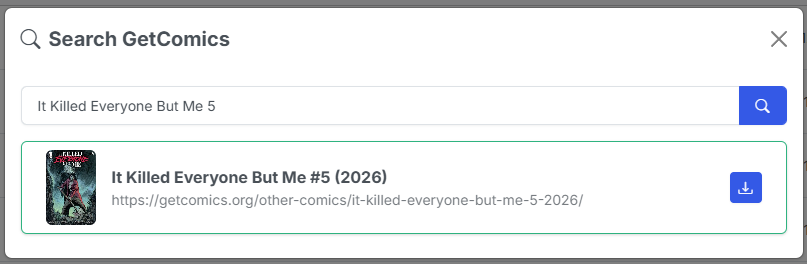
Searching for Issue

The modal will show you the results of the search and allow you to add the issue to your collection by clicking the Download button next to the issue. This will send the issue to your download queue.
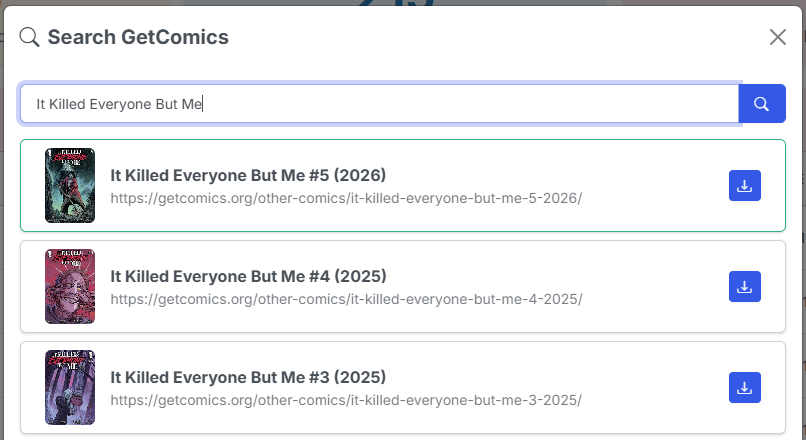
Refining the Search

You can adjust the terms in the modal to refine your search in an attempt to find the issue you are looking for.

GetComics + Usenet results

If you've configured Usenet Downloads, this search queries GetComics and your Usenet indexers together. Both sources appear under labeled section headers, ordered by your Source Priority. Grab from either — see Searching & Grabbing for details.

From Reading Lists

New in v6.5

The Wanted page now has two sources. Alongside the series on your Pull List, it can also report the issues you're missing from a reading list.

This section only appears once you've turned on Track Wanted for at least one reading list. It has its own count tile at the top of the page and its own table below.

Every entry in a tracked list that has no matched file shows up here, and the nightly GetComics sweep searches for it exactly as it does for a missing Pull List issue.

Column Meaning
Series The series name as the reading list records it.
Issue The issue number the list is asking for.
Year The issue's year, where the list carries one. Often blank on back-catalogue lists — see below.
Reading List Which list the entry came from. Links back to the list.
Actions Search for the issue, the same source search as a missing issue.

Undated issues are searched, mapped-series issues aren't

This is the opposite of the rule that governs the rest of this page, so it will look like a bug if you don't know why.

A release-calendar entry with no date is an unscheduled solicitation — it may never ship, so CLU leaves it alone. A reading list is back catalogue: a missing year there means the comic came out years ago and nobody recorded the date, not that it's unannounced. So a reading-list entry with no year is treated as already released and gets searched.

A queued issue keeps showing here

An issue stays on this list until the file actually lands and matches — queuing a download doesn't remove it, because it's still missing.

What does change is that CLU won't re-queue the same issue for 7 days. A dead mirror, or an archive that won't unpack, can no longer produce the same download every single night.

Entries with a blank series name or issue number are excluded — they can never match anything, so there's nothing to search for.

Mapping an entry to a local file by hand removes it from this section immediately; clearing that mapping brings it back. See Nothing is stored, so nothing goes stale.

Upcoming Issues

Upcoming

This section will show you all upcoming issues for the series you are subscribed to. The issues are sorted by the Store Date in from oldest to newest.

This is simply a list of upcoming releases. Once the Store Date has passed, the issue will move to the Missing Issues section if it is not in your collection.