Database
New in v6.0
The Database tab is new in v6.0.
The Database tab shows the health of CLU's SQLite database and lets you manage backups. Find it on the Settings page (gear menu → Settings → Database).
Current Database
The top section reports the SQLite file size and per-table row counts, alongside an integrity badge:
- Healthy — the database passed its integrity check.
- Corrupted — restore recommended — the check failed. Restore a healthy backup below, then restart the app.
| Field | Description |
|---|---|
| Path | The database file location on disk. |
| DB size | Size of the main database file. |
| WAL / SHM | Size of the write-ahead log and shared-memory files. |
| Tables | Number of tables in the database. |
| Total rows | Total rows across all tables. |
A per-table breakdown (Table / Rows) is listed below the summary.
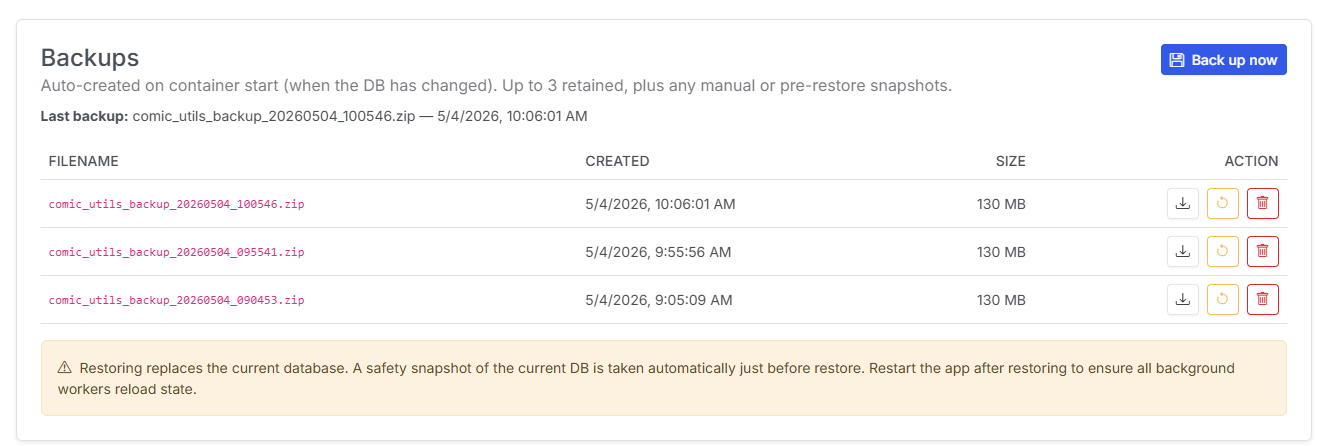
Backups
Backups are auto-created on container start whenever the database has changed. Up to 3 automatic backups are retained, plus any manual snapshots you take and any pre-restore safety snapshots.
- Last backup shows when the most recent backup was taken.
- Back up now creates a manual snapshot immediately.
Each backup row (Filename / Created / Size) has actions:
| Action | What it does |
|---|---|
| Download | Download the backup file to your computer. |
| Restore | Replace the current database with this backup. |
| Delete | Permanently remove this backup (cannot be undone). |
Restoring replaces your current database
Restoring replaces the live database with the selected backup. CLU automatically takes a safety snapshot of the current database just before restoring, so you can roll back. Restart the app after restoring so all background workers reload their state.