Monitoring Logs
When Folder Monitoring is enabled, a dedicated Monitor Logs link is available in the top navigation bar.

Monitor Logs in Navigation
The Monitor Logs view displays real-time activity for files moving through the automated ingestion pipeline.
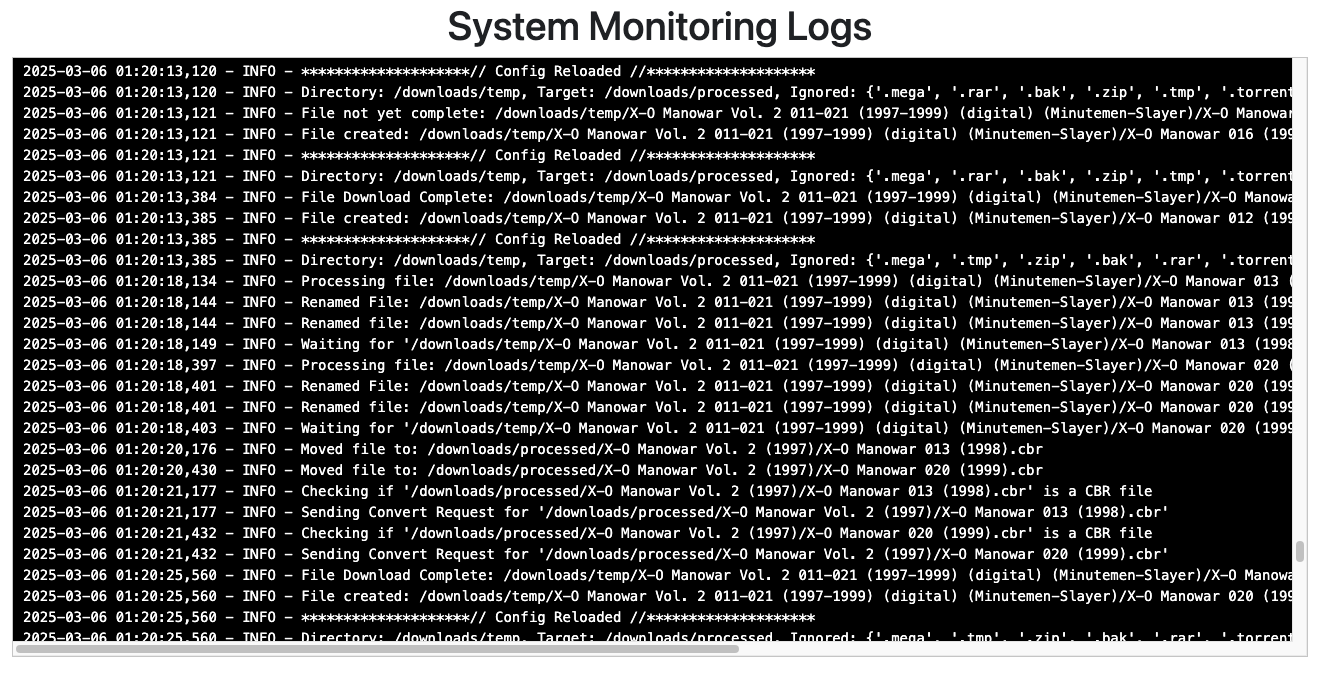
Folder Monitoring Live Log View
Log Message Types
The monitoring log details each stage of automated file ingestion:
- Config Reloaded: The monitoring daemon checks for configuration changes and reloads dynamically without requiring a container restart.
- Processing File: Identifies the specific file currently undergoing evaluation in the WATCH directory.
- Waiting For: Indicates that a file is actively being written or downloaded. The monitor pauses until the file size stabilizes.
- Renamed: Displays the original filename alongside the newly formatted name produced by the renaming engine.
- Moved File: Reports the transfer path as processed files move from the WATCH directory to the TARGET directory.
- Checking If: Inspects the internal file structure and extension to determine if format conversion (e.g. CBR $\rightarrow$ CBZ) is needed.
- Sending Convert Request: Dispatches the file to the conversion worker and logs the outcome upon completion.
For general application errors and database maintenance events, refer to the main App Logs page.