Collection Browsing (Issues)
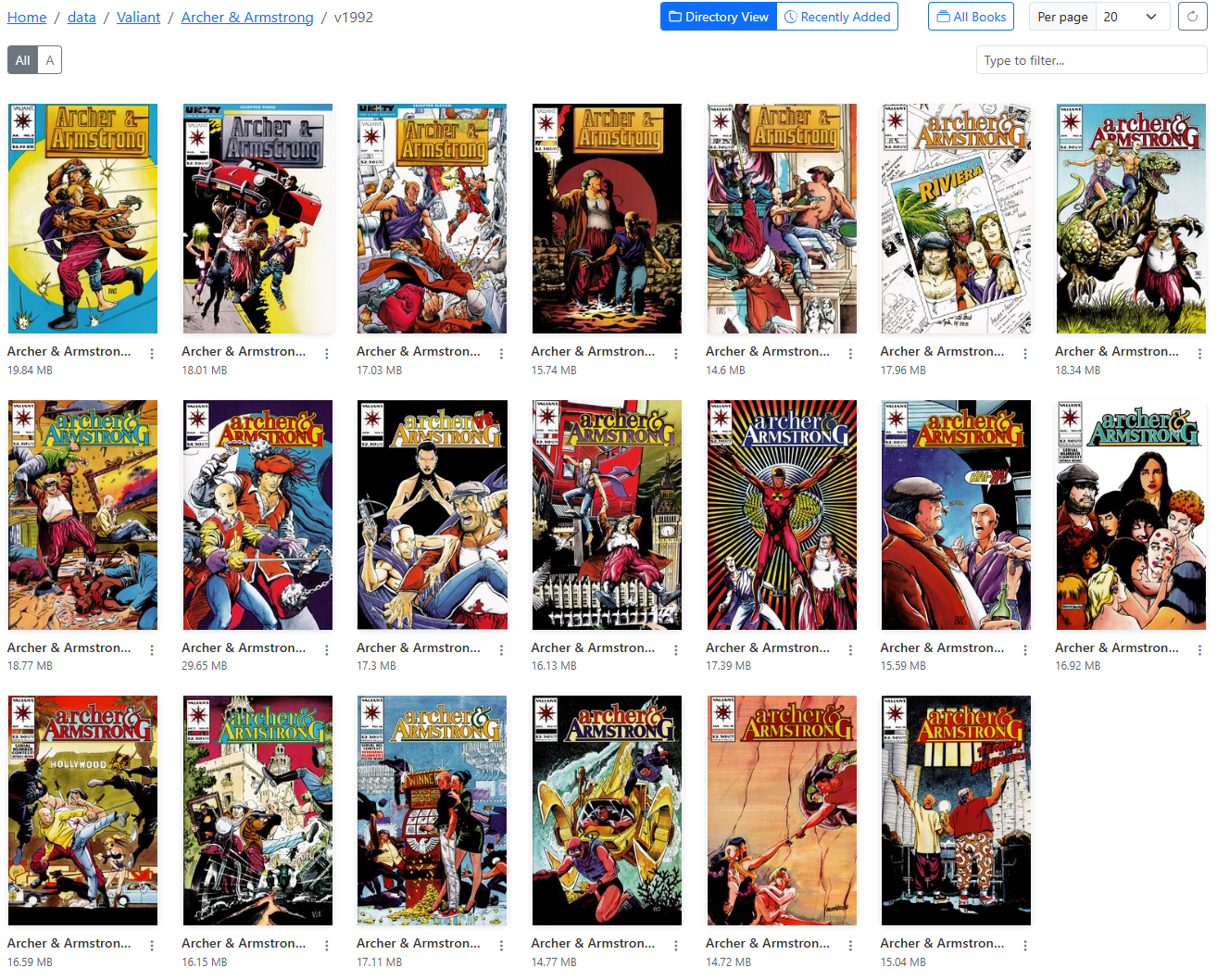
Example Issues Page
When you navigate to a folder (series) with only files (issues), you will see a list of files (issues) in that folder.
To ensure you can quickly determine the issue number, the issue number will be displayed in the top right corner of the cover.
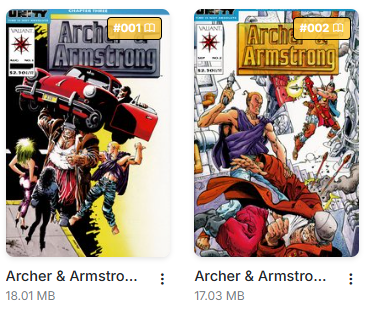
Issue Number
Issue Options
For issues, there are 7 options in the dropdown menu that can be accessed by clicking the menu.
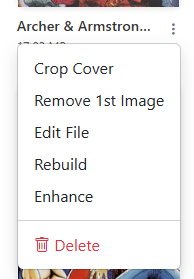
Example Issue Dropdown Menu
- Crop Cover: This will crop the first image of the CBZ, saving the right-side as the new cover and the full image as the 2nd image. This is the same process as Crop Cover.
- Remove First Image: This will remove the first image from the issue. This is same feature as Remove First Image. I recommend using this option after using "Edit File" as to ensure the incorrect image is truly the first image in the file.
- Edit File: This unpacks the CBZ and allows you to edit the files. See a full list of features in the Edit File section.
- Rebuild: This will quickly rebuild a incorrectly built CBZ file and/or convert a CBR to a CBZ file. This is the same feature as Rebuild.
- Enhance: This will enhance the image quality of all images in the issue. This is the same feature as Enhance.
- Set as Folder Thumbnail: Pins this issue's cover as the folder's cover art. See below.
- Delete: This will delete the issue. This is the same feature as Delete.
Set as Folder Thumbnail
New in v6.4
You can pin any issue's cover as the folder's cover art.
Click the menu on the issue whose cover you want and choose Set as Folder Thumbnail. The folder's art is regenerated immediately with that issue as its primary cover.
"Primary" means something slightly different in each folder art style, and that's the point — switching styles never loses your choice:
| Style | Where the pinned cover appears |
|---|---|
| Single Image | It's the whole image. |
| Fanned Stack | The front card of the stack. |
| Isometric Cascade | The front card of the cascade. |
| 2x2 Mosaic Grid | The top-left tile. |
The pin is stored per folder and survives regeneration, so Regenerate All Thumbnails restyles the art without discarding the cover you picked.
Comics only
Only comic files can be pinned. A pinned text or image file would occupy a cover slot forever — and in Single Image style it's the only slot.
To un-pin
Pin a different issue, or upload your own folder.png / folder.jpg / folder.webp to the folder — uploaded art always wins over generated art.