Adding a Download Client
Your download client is the app — SABnzbd or NZBGet — that receives NZBs from CLU, downloads the articles from your Usenet provider, and assembles the finished files. CLU submits grabs to it and tracks them to completion.
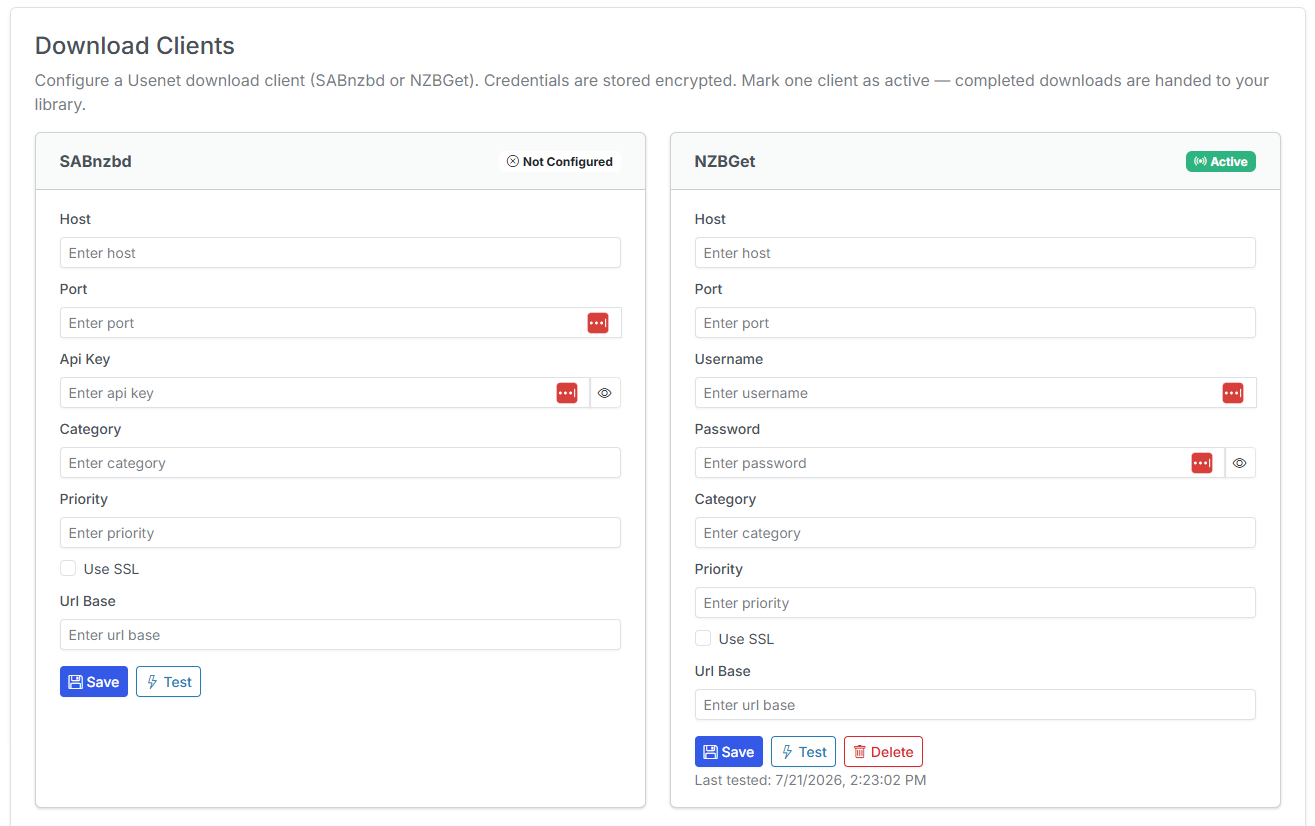
You add and manage download clients from the Download Clients tab in Settings.
Only one active Usenet client
Only one Usenet download client is active at a time. If you configure both SABnzbd and NZBGet, only the one marked active will receive grabs.
As of v6.3 this is scoped per client group, so an active AirDC++ client does not deactivate your Usenet client — the two run side by side. See Download client groups.
Editing saved clients
When you re-open a saved client, its fields are pre-filled with the real stored values and secrets have a working reveal toggle. Editing one field no longer wipes the others, so you can update a single value without re-entering everything.
SABnzbd
| Field | Description |
|---|---|
| Host | The hostname or IP where SABnzbd is running (e.g. 192.168.1.10 or sabnzbd). |
| Port | The SABnzbd web port (default 8080). |
| API Key | The API Key from SABnzbd → Config → General → API Key. |
| Category | The SABnzbd category to assign grabs to (e.g. comics). Optional but recommended so downloads land in a predictable folder. |
NZBGet
| Field | Description |
|---|---|
| Host | The hostname or IP where NZBGet is running. |
| Port | The NZBGet web port (default 6789). |
| Username | The NZBGet control username (default nzbget). |
| Password | The NZBGet control password. |
| Category | The NZBGet category to assign grabs to (e.g. comics). Optional. |
Test Connection
After entering your details, click Test Connection. CLU makes a live call to the client and reports a readable result rather than a raw error. Common states:
| Result | Meaning | What to check |
|---|---|---|
| Connected | CLU reached the client and authenticated. | Nothing — you're good. |
| Connection refused | Nothing is listening at that host/port. | Host, port, and that the client is running/reachable from CLU's container. |
| 401 / Unauthorized | The client answered but rejected your credentials. | API key (SABnzbd) or username/password (NZBGet). |
| Non-JSON response | Something answered, but it wasn't the client's API. | You're likely pointed at the wrong port or a reverse proxy/login page. |
| Timed out | No response in time. | Network path, firewall, or the client being overloaded. |
New in v6.0
Download clients are new in v6.0.