Rebuild All Files
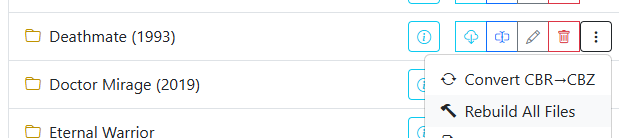
The Rebuild All Files tool unpacks, validates, and repackages all comic archives in a directory into standardized CBZ format.
While Convert Directory only processes CBR and RAR files and skips existing CBZ archives, Rebuild All Files processes every archive in the directory:
- Converts RAR / CBR files into clean CBZ format.
- Re-packs existing CBZ files, restructuring internal folder hierarchies, stripping non-image junk files, and repairing damaged zip headers.
Rebuilding fixes common indexing failures and thumbnail rendering errors encountered in media servers and comic readers.
Archive Format Recovery
Archives are occasionally misnamed — for instance, a RAR archive incorrectly labeled with a .cbz extension. During rebuild operations, CLU inspects the archive's actual file headers. If standard ZIP extraction fails, CLU automatically tests RAR extraction, recovers the embedded page images, and repacks them into a true, valid CBZ archive.
To convert PDF documents into CBZ format, see Convert PDF to CBZ.