Adding Newznab Indexers
Indexers are the search engines of Usenet. CLU queries your Newznab indexers for releases that match a wanted issue, then hands the resulting NZB to your download client when you grab it.
You can add one or more indexers from the Download Clients tab in Settings.
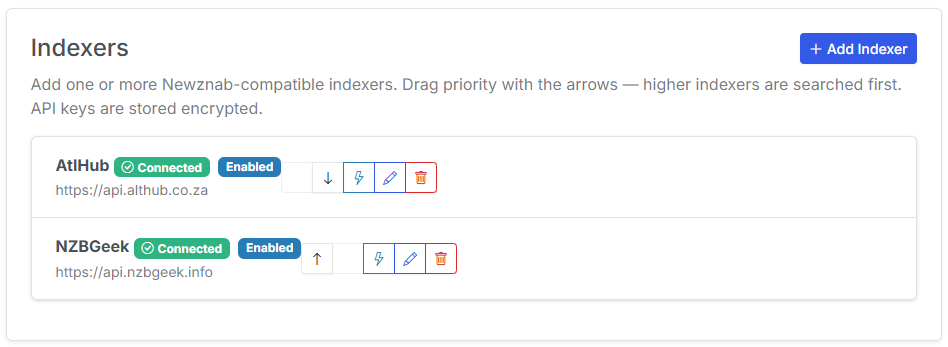
Indexer fields
| Field | Description |
|---|---|
| Name | A label for the indexer so you can tell them apart. |
| URL | The base URL of the indexer's Newznab API endpoint. |
| API Key | Your personal API key for that indexer. |
| Category | The Newznab category to search. Defaults to the comics category 7030. |
| Priority | Ordering used when an issue is found on more than one indexer (see below). |
Default comics category
CLU defaults new indexers to Newznab category 7030 (Books → Comics). Only change this if your indexer maps comics to a different category.
Priority ordering
When you have more than one indexer, priority controls the order results are requested and displayed. Higher-priority indexers are queried first, and their results appear first in the manual and Wanted search UIs.
This is separate from Source Priority, which decides whether Usenet as a whole is tried before or after GetComics. See Source Priority for how the two interact.
New in v6.0
Indexers are new in v6.0. Usenet results stay hidden in search until you've added at least one indexer.